
Quick Summary
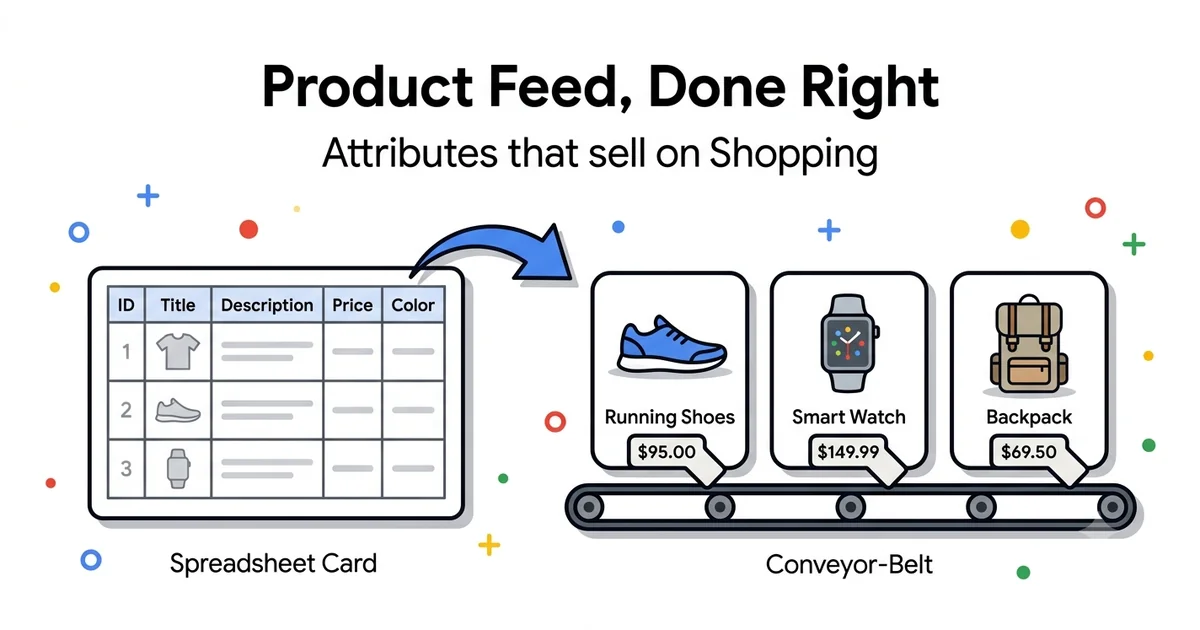
The product feed is 80% of the work behind Google Shopping — bidding and campaign structure only matter once the feed is clean. This is a complete guide to preparing a feed for the Serbian market, attribute by attribute, while you wait for Merchant Center registration to officially open.
8
mandatory attributes
80%
of success depends on the feed
4
feed generation methods
150
characters, ideal title length
Note — status as of July 2026
Google Merchant Center registration for the Serbian market isn't officially open yet. That doesn't mean there's nothing to do — quite the opposite. The feed is a piece of preparation you can and should be doing now, independent of when registration opens. When that day comes, you'll have a finished, tested feed ready to upload instead of only just starting to think about title formulas and attributes. This guide focuses exclusively on the feed itself — for the MC account, verification, and linking, see the supporting Merchant Center setup post linked below.
Quick Answer
What is a product feed?
A product feed is a structured file (XML, TXT, or Google Sheets) that contains all the data about your products — name, price, image, availability, and other attributes — in a format Google Merchant Center understands. Google uses the feed to decide when, to whom, and for which search to show your product in Shopping ads. Without a feed, a Shopping campaign has nothing to show — the feed is literally the source of every product you advertise.
When I run a Shopping audit for a new client, I almost always look at the feed first, not the campaign. The reason is simple — bad bidding can be fixed in a week, but a bad feed is the reason half the catalogue gets no impressions at all, no matter how well you structure the campaign around it. The feed is the foundation; everything else is what you build on top of it.
I've built Shopping feeds for global accounts — moto parts sold in nearly 40 countries, a UK skincare brand, and a UK mattress manufacturer. Each of those three catalogues had its own quirks (size/colour variants, seasonal products, GTIN complications), but the principle is always the same: a clean, complete, up-to-date feed carries the campaign, not the other way around. This guide brings that experience into the Serbian context — language, RSD pricing, VAT, and the local platforms eCommerce businesses here actually use. For complete account management, see our Google Ads for eCommerce service.
This is the third post in the Google Shopping series. If you're just getting started, read the pillar guide first — Google Shopping Is Coming to Serbia — Complete Preparation Guide for the broader context (launch date, Ex-Yu markets, costs). For the Merchant Center account and verification, see Google Merchant Center for Serbia — Complete Setup Guide. Here, I go deep exclusively on the feed itself.
Why the product feed is 80% of Shopping campaign success
With Search campaigns, you pick keywords and write ads manually. With Shopping, Google automatically decides when to show which product based on the data you give it through the feed — you don't control "keywords", you control the quality and precision of your product data. This is a fundamental difference many eCommerce owners don't grasp at the start.
In practice, that means the feed is simultaneously your catalogue and your targeting mechanism. The title, description, category, and attributes determine which searches a product surfaces for. A bad title means the product shows up for the wrong searches (or doesn't show up at all), no matter how much budget and bidding attention you put into the campaign.
From experience
When a client asks why a particular product is underperforming, the answer is in the feed in most cases — an incomplete title, the wrong category, or a missing attribute Google uses as a matching signal. It's rarely the bidding. The first thing I check is feed quality, only then the campaign structure.
Feed anatomy — required and recommended attributes
These 8 attributes are absolutely mandatory. Without any one of them, a product isn't accepted into the feed and doesn't enter Shopping ads:
| Attribute | What it represents | Example |
|---|---|---|
| id | Unique product identifier (SKU) | SKU-88213-M-Black |
| title | Product name — the most important attribute for matching | Adidas Ultraboost Men's Sneakers Black Size 43 |
| description | Product description, 500-1000 characters recommended | Material, features, usage, no promotional copy |
| link | Direct URL to the product page | https://yourshop.rs/product/adidas-ultraboost |
| image_link | URL of the main image, minimum 800x800px | https://yourshop.rs/img/adidas-ultraboost-main.jpg |
| price | Price, must match the site exactly, VAT included | 15990.00 RSD |
| availability | Stock status, real-time sync recommended | in stock / out of stock / preorder |
| condition | Product condition | new / refurbished / used |
Alongside these 8, there's a group of recommended attributes I'd call "mandatory in practice" — technically Google doesn't require them for every product, but without them you lose reach and pay a higher CPC:
Recommended #1
brand
The manufacturer name or your own brand. Google uses brand as a strong matching signal, especially for well-known manufacturers. For your own label, always fill in your brand name instead of leaving it blank.
Recommended #2
gtin
Global product barcode (EAN/UPC). For branded products from well-known manufacturers, GTIN is practically mandatory — Google increasingly limits the reach of feeds without it. For private label products with no GTIN, use the brand + mpn combination instead.
Recommended #3
google_product_category
Google's standardised category taxonomy (e.g. "Apparel & Accessories > Shoes"). A precise category improves matching and enables performance benchmarking by category inside Merchant Center.
Recommended #4
custom_label_0-4
Five free-form fields you define yourself — margin level, season, bestseller status. They don't affect matching, but they are key for campaign segmentation and bidding strategy (more detail in the custom labels section below).
The rule I always repeat: the feed must be 100% identical to the site, at every moment. Price, availability, name — every mismatch is either a disapproval or a bad customer experience waiting to happen.
Title optimisation — the biggest lever you have
If I had to pick one attribute that most affects feed performance, it's the title. Google uses it as the primary signal for matching against searches, and shoppers see it directly in the ad — the title does double duty: targeting and conversion at the same time.
A structure that works: Brand + Product + Attribute + Size/Colour
Example: "Nike Air Max 90 Men's Sneakers White Size 43". This order follows how people actually search — brand or product type first, then the specific attribute they care about. Avoid opening the title with generic words ("Quality", "New") — that space should carry concrete information instead.
A few principles I apply to every feed I build:
Google only shows about the first ~70 characters on mobile, the rest gets truncated. Brand and product type must be visible without scrolling or expanding.
Google allows up to 150 characters for the title. You don't have to use all of it, but a generic short title (e.g. just "Sneakers") misses the opportunity to capture more specific, longer-tail searches.
These are exactly the things shoppers search for specifically ("sneakers size 43 white"). If you have product variants, each variant should have its own title with its specific attribute, not a generic title shared across all variants.
"CHEAPEST!!!", all caps, or "-50% today" in the title leads to disapproval. Price and discounts belong in the price/sale_price attributes — the title stays purely descriptive.
Descriptions and images — rules that are often overlooked
The description doesn't affect matching as much as the title, but it still plays a role, and it's easy to neglect when the feed is generated automatically from raw site data.
Descriptions
Factual, not a sales pitch
Material, dimensions, features, usage — no marketing language like "best on the market". Google penalises descriptions that read like an ad instead of product data.
Descriptions
The first 160-500 characters carry the weight
Although descriptions can run up to 5000 characters, the most important information should sit in the first few sentences — assume the rest won't be read, by either the algorithm or the shopper.
Images
A studio shot is mandatory as the primary image
image_link must be a clean product photo on a neutral/white background, with no watermark, text, or logo overlaid on the photo. Google automatically detects and rejects images that break this rule.
Images
Lifestyle shots go in additional_image_link
Photos of the product "in use" (on a model, in a setting) are great for conversion, but not as the primary image — use the additional_image_link field for those, while the primary stays a clean studio shot.
Feed for the Serbian language — characters, prices, VAT
This is where most mistakes happen among local shops, since the tools and documentation for Merchant Center are written primarily for English/Western markets.
Characters
Cyrillic or Latin — stay consistent
If the site uses Latin script, the feed should be in Latin script too (with diacritics: š, đ, č, ć, ž — not "sh", "dj"). The file encoding must be UTF-8, otherwise characters break in the ad display.
Prices
RSD format and decimals
The price format in the feed is number + currency (e.g. "15990.00 RSD"), not "15.990,00 din". Check that your feed generator isn't outputting the Serbian decimal format (comma instead of period) — that causes a parsing error.
VAT
Price always with VAT included
Just like on the site, the price attribute in the feed should show the final price the customer pays, VAT included. Don't leave the tax field blank "just in case" — inconsistent handling here is a common cause of mismatch errors.
Categories
google_product_category in English
Regardless of the rest of the feed being in Serbian, google_product_category is filled in from Google's official taxonomy, which is in English (or the numeric category ID) — don't translate it.
Custom labels — a strategy for bidding segmentation
The five custom_label fields (custom_label_0 through custom_label_4) are perhaps the most underused part of the feed among smaller shops. They don't affect whether a product gets shown, but they directly enable more precise bidding across the campaign.
Margin segmentation
Tag products by profit margin (e.g. "high-margin", "low-margin"). This lets you build separate campaigns or ad groups and set a more aggressive bid on products that generate more profit per sale.
Seasonal segmentation
For seasonal catalogues (apparel, garden equipment, heaters), tag products by season ("summer-2026", "winter-2026"). This lets budget automatically follow seasonally relevant products without manually reshuffling campaigns.
Bestseller / performance tier
Tag top products by historical sales ("bestseller", "new-product", "slow-mover"). This is the foundation of a tiered Shopping structure — bestsellers get their own campaign with more aggressive bidding, new products get their own with a lower bid until enough data accumulates.
From experience
Custom labels are a tool I rarely see filled in with new clients, and they're one of the cheapest ways to improve ROAS without any extra campaign work. Margin-level segmentation is the first thing I introduce as soon as I take over a new eCommerce account — even before I touch the bidding strategy.
Feed generation methods by platform
How you generate and maintain the feed depends mostly on which platform your site runs on and how many products are in your catalogue.
Method #1
Shopify apps
The Google & YouTube app (official, free) automatically generates a feed from the Shopify catalogue and syncs it in real time. For more complex catalogues with variants, third-party apps (e.g. Simprosys) offer additional control over title formulas.
Method #2
WooCommerce plugins
Google Listings & Ads (the official WooCommerce/WordPress plugin) or YITH Google Shopping generate the feed directly from the products on the site. The most common choice for Serbian eCommerce shops on WordPress — sync is automatic, maintenance is minimal.
Method #3
Custom XML for local platforms
Many Serbian shops run on a custom CMS or a local platform (e.g. an in-house system, or a local provider) without a ready-made Google feed plugin. The solution is to have a developer generate an XML file directly from the product database according to Google's specification, with a scheduled cron job for regular refreshes.
Method #4
Google Sheets for small catalogues
For catalogues under 50-100 products, Google Sheets is a perfectly legitimate option — a manually or semi-automatically filled sheet with columns matching the attributes, linked to Merchant Center via a scheduled fetch (e.g. daily).
For larger catalogues (1000+ SKUs) with frequent price and stock changes, the Content API for Shopping gives the highest precision and fastest real-time sync, but it requires a developer. For most Serbian eCommerce businesses, a plugin solution (Shopify or WooCommerce) is still the best balance of implementation speed and reliability.
Common feed errors and how to diagnose them
These are the errors that show up in almost every feed audit I've run, including accounts with global catalogues where variants number in the thousands.
Error
Generic or duplicated title across variants
Fix: If you have 10 variants of the same product (different colours/sizes) with an identical title, Google can't tell which variant matches which search. Every variant needs a title that includes its specific colour/size — automate this through your feed template, not manually.
Error
Feed not updated frequently enough
Fix: Google recommends updating the full feed at least daily, and availability ideally in real time. A product advertised as "in stock" that's actually sold out leads to a poor customer experience and an account-level penalty, not just an issue with one product. Check Diagnostics for the last successful fetch.
Error
Price mismatch between the site and the feed
Fix: Google periodically crawls your site and compares the price against the feed. A sale on the site that isn't reflected in the feed (or vice versa) leads to disapproval. If you update prices manually in two places, introduce a synchronised update process or switch to automatic sync.
Error
Missing or incorrect google_product_category
Fix: An empty or incorrectly assigned category reduces matching quality and prevents benchmark reports in Merchant Center. Go through Google's category taxonomy once during feed setup and map it carefully, not automatically to the nearest option.
Error
Low share of products with a GTIN
Fix: For branded products, a missing GTIN directly limits reach. Check the Diagnostics section for "missing GTIN" warnings and fill them in from supplier documentation or the barcode on the packaging — this is one of the fastest-paying fixes in a feed audit.
Error
Broken characters (encoding)
Fix: If š, č, ć, ž show up as odd symbols in the feed, the file wasn't saved in UTF-8 encoding. Check the export settings in your platform or feed generator plugin — this is a common but easily fixed error specific to the Serbian language.
For diagnostics, the first stop is always the Diagnostics section in Merchant Center (Products → Diagnostics) — Google lists the exact reason for every disapproved or flagged product there, with a link to the relevant policy. Don't guess the cause, read the message.
Feed optimisation as an ongoing process
The feed isn't a "set it and forget it" project. The best results come from treating it as a living part of the campaign that gets tested and improved continuously, similar to how you test ads in Search campaigns.
What continuous optimisation looks like in practice
- Supplemental feeds — an additional feed that layers new data on top of the primary feed (e.g. custom labels or updated categories) without altering the original source file. Useful when you can't directly edit a primary feed generated by the platform.
- A/B testing title formulas — test whether a title with "Brand + Product + Colour" or "Product + Brand + Size" delivers better CTR for your product category. Small changes in attribute order can meaningfully shift impressions.
- Monthly Diagnostics review — even when the feed is stable, new products or site changes can introduce new errors. A regular monthly review stops the problem from piling up unnoticed.
- Tracking performance by custom label segment — once you introduce margin/season/bestseller labels, track performance by segment and adjust bidding based on that data, not on the catalogue averaged as a whole.
Important
Feed optimisation delivers the most value once you have enough per-product performance data. In the first few weeks after launch, focus on getting the feed technically clean (95%+ approval rate) — title A/B tests and custom label segmentation come once conversion data has accumulated.
Conclusion
The product feed isn't an administrative hurdle on the way to a Shopping campaign — it's the biggest lever you have for performance. Title structure, complete attributes, GTIN, and custom label segmentation together determine whether your catalogue gets maximum reach at a reasonable CPC, or fights against its own data gaps.
For the Serbian market, the advantage is that you can start feed preparation right now — independent of when Merchant Center registration officially opens. When that moment comes, instead of only starting to think about title formulas, you'll have a finished feed ready to upload.
Need help with your product feed?
I'll go through your catalogue, feed structure, and attributes and give you a concrete plan before Google Shopping launches in Serbia (expected H2 2026) — see also my Google Shopping guide.
Book a free consultationFAQ — common questions about the product feed
Which feed format is best — XML, TXT, or Google Sheets?▼
How often should I update the product feed?▼
Does the product title affect cost per click (CPC)?▼
What are custom labels and are they mandatory?▼
How do I fix disapproved products in the feed?▼
Can I use the same feed for Google Shopping and Meta Shops?▼
Free video audit
Get a Personalised Video Audit of Your Google Ads Account
I'll record a 15-minute walkthrough of your campaigns showing exactly where you're losing money and what to fix first.
Free personalised video audit
Want a video walkthrough of your Google Ads account?
I'll personally record a 15-minute video walking through your campaigns, showing you where you're losing money and giving you 3 specific things to fix immediately. No sales pitch — just value.
What you get:
- 15-min personalised video analysis
- 3 specific quick wins to implement
- Budget & bidding recommendations
Requirements:
- Ad spend: $1,500+/month
- Active account for 3+ months
- eCommerce or Lead Gen business
Limited to 5 audits per month. Response within 48 hours.