
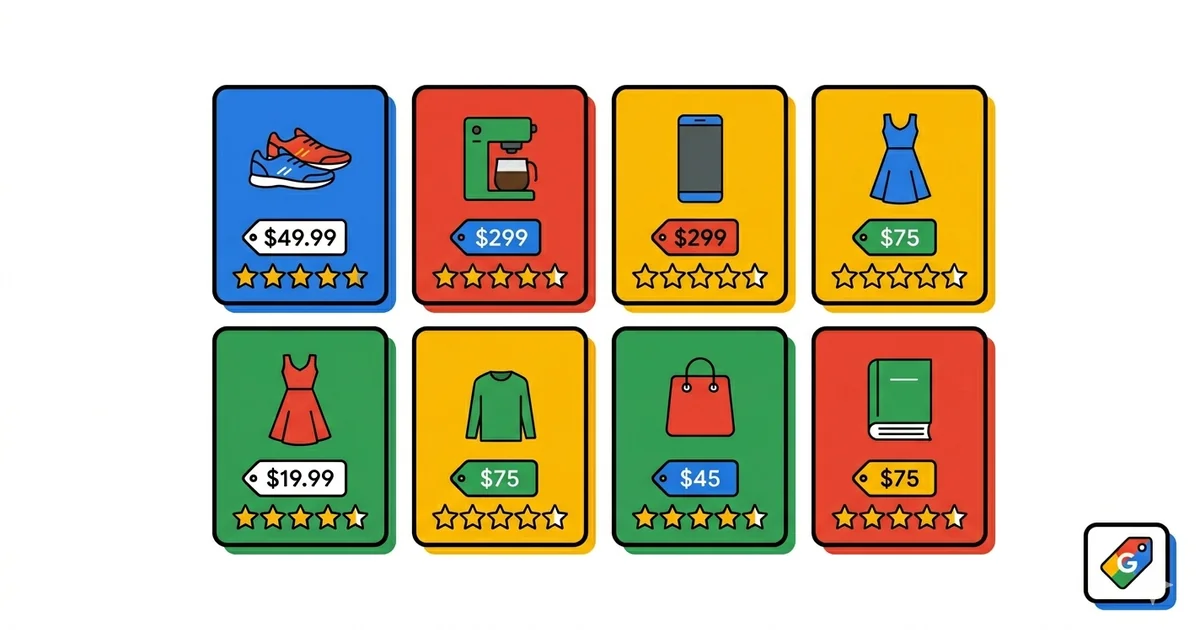
TL;DR
Properly configured Google Shopping campaigns deliver 3-8x ROAS. 80% of success depends on product feed optimization — 10 mandatory attributes, strategic title structure, and 5 custom labels for segmentation. I recommend a priority-based structure (High/Medium/Low) and Target ROAS bidding for stable campaigns with 50+ monthly conversions.
10
mandatory attributes
5
custom labels
3-8x
ROAS range
80%
success in feed
Google Shopping campaigns are the most important channel for most eCommerce businesses. The visual format with product image, price, and store name appears at the top of search results. Users see the product before clicking, which filters unqualified traffic and brings people ready to buy.
Shopping campaigns are only as good as your product feed and campaign structure. In my experience, 80% of problems stem from an unoptimized feed — no matter how much you spend, a bad feed means bad results.
🔄 Living guide — change history
This guide is updated every month. What changed:
- September 2026: Content API for Shopping was permanently shut down (Aug 18) — if your feed runs through an older integration or plugin, check whether it has already moved to the Merchant API. As of Aug 31, Shopping campaigns include local inventory by default (the enable_local flag is now ignored) — online-only sellers should check their inventory filters. As of Aug 17, campaigns on tCPA/tROAS that had long been outperforming their target now consistently drift toward it instead of continuing to beat it. As of Jan 31, 2027, a main product image under 500x500 px will go straight to disapproval, no longer just a warning.
- January 2026: First version of this guide.
How Google Shopping works
Unlike Search campaigns where you choose keywords, Google Shopping uses your product feed to determine when to show ads. Google matches data from the feed with user searches and displays relevant products.
Advantage
Visual format
Users see product, price, and brand before clicking — direct pre-qualification of buyers.
Advantage
High purchase intent
People search for specific products with intent to buy, not research.
Advantage
Price visible upfront
Transparency eliminates clicks from users for whom the product is too expensive.
Advantage
Less competition
Many eCommerce stores don't optimize feeds — opportunity for better positions and lower CPCs.
Product feed — the foundation of Shopping campaigns
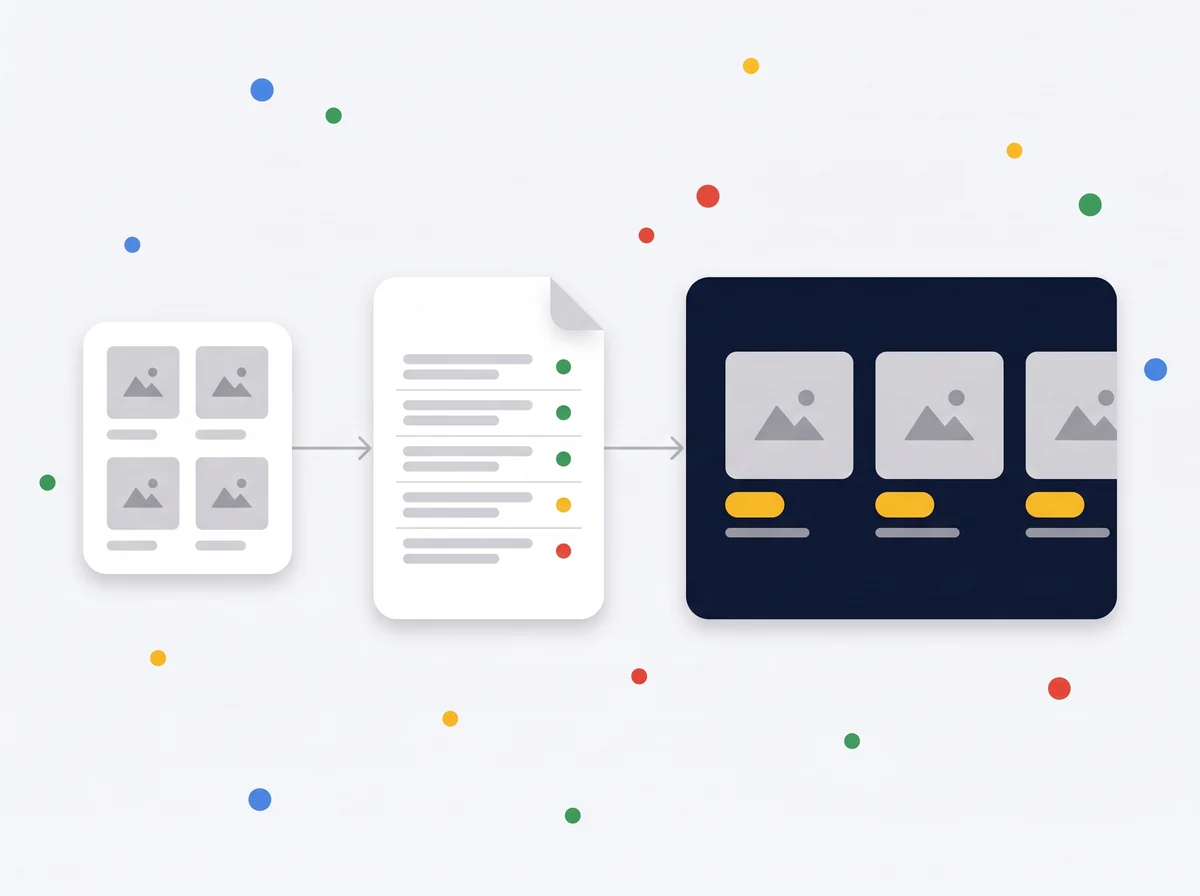
Your product feed is an XML or TXT file containing all product information. Google uses this data to decide which searches to show your product for, how to rank it against competitors, and whether the product is eligible for display. The full attribute specification is available in Google's product data specification.
In my experience, 80% of Shopping campaign problems come from a poorly optimized feed. If the feed isn't good, even the best bidding won't help.
| Attribute | What it is | Example |
|---|---|---|
| id | Unique product ID | SKU-12345 |
| title | Product name | Nike Air Max 90 Men's White Sneakers Size 10 |
| description | Product description | Detailed description with specifications |
| link | Product URL | https://shop.com/product/12345 |
| image_link | Main image URL | https://shop.com/images/12345.jpg |
| price | Product price | 129.99 USD |
| availability | Stock status | in stock |
| brand | Product brand | Nike |
| gtin | Barcode (GTIN/UPC/EAN) | 1234567890123 |
| condition | Product condition | new |
Title optimization — the most important attribute
Title is the most important attribute in the feed. Google uses it to match user searches. Bad title = no chance of showing for relevant searches.
[Brand] + [Product Type] + [Key Attributes] + [Model/Variant]
Bad vs good titles:
- Bad: "Men's Shoes" → Good: "Nike Air Max 90 Men's Sneakers White Size 10"
- Bad: "HP Laptop" → Good: "HP Pavilion 15 Laptop i5 16GB RAM 512GB SSD 15.6 inch"
- Bad: "Dress" → Good: "Zara Summer Dress Red Cotton Size M"
Character limit
Google allows 150 characters, but the first 70 are most important — that's what's visible in the ad. Put the most important information at the beginning.
Description optimization
Description helps Google understand the product and affects relevance. I recommend 500-1000 characters, focusing on key information at the beginning.
Best practices for descriptions
- Start with the most important information (product type, purpose)
- Include keywords naturally (no keyword stuffing)
- List specifications (material, dimensions, weight)
- Avoid promotional copy ("Best deal!", "Sale!")
- Don't repeat data from other attributes (brand, price)
Product Type vs Google Product Category
Google Product Category is a fixed taxonomy — you have a limited set of categories that Google defines.
Product Type is your own category — you have complete freedom of structure.
I recommend using Product Type for deep segmentation, as it allows you to create ad groups by specific categories, set different bids, and better track performance.
Footwear > Men's Footwear > Sneakers > Running Shoes > Nike
Custom Labels — secret weapon for segmentation
Custom Labels (0-4) are your tool for segmenting products by business criteria. In my experience, they're key to controlling Shopping campaigns and ROAS optimization.
| Label | Purpose | Values |
|---|---|---|
| custom_label_0 | Product margin | high_margin, medium_margin, low_margin |
| custom_label_1 | Performance | best_seller, standard, slow_mover |
| custom_label_2 | Season | spring, summer, fall, winter |
| custom_label_3 | Price range | under_50, 50_100, over_100 |
| custom_label_4 | Promo status | on_sale, full_price |
Important
Custom Labels allow you to create campaigns by margin (high margin = higher bid), by performance (top performers = separate campaign), or by season (exclude winter products in summer).
Shopping campaign structure
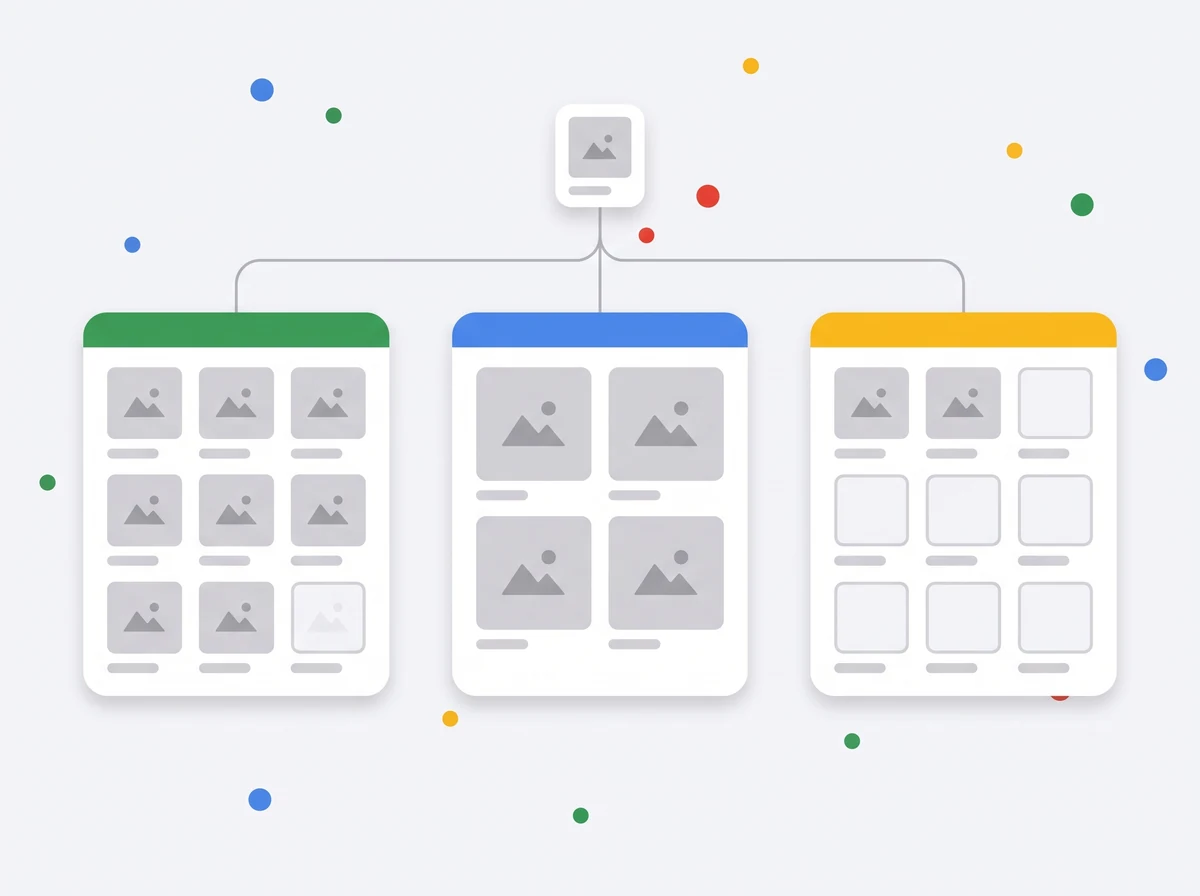
Campaign structure determines how much control you have over bids and budget. I recommend a priority-based structure that gives you maximum control with minimal complexity.
Priority-based structure
Priority bidding strategy
Google allows 3 priority levels: High, Medium, Low. The counterintuitive approach that works:
- High Priority + Low Bid — broad, generic searches ("shoes", "laptop")
- Medium Priority + Medium Bid — more specific searches ("nike shoes", "hp laptop")
- Low Priority + High Bid — high-intent searches ("nike air max 90 white size 10")
How it works
Negative keywords in the High Priority campaign push more specific traffic down through Medium and Low campaigns. This gives you control — you pay less for generic searches, more for high-intent searches.
Single Product Ad Groups (SPAGs)
For the top 20% of products by revenue or margin, I recommend creating ad groups with a single product. This gives you precise bid control and clearer data for optimization.
When to use SPAGs:
- Top 20% products by revenue
- High-margin products (high margin custom label)
- Seasonal priorities (umbrellas in summer, jackets in winter)
- Products with consistent traffic
Bidding strategies for Shopping
Bidding strategy choice depends on budget size, conversion history, and how much control you want. In my experience, most eCommerce businesses perform best with Target ROAS after an initial data collection period.
| Strategy | When to use | Minimum requirements |
|---|---|---|
| Manual CPC | New campaign, data collection, small budget | No requirements |
| Target ROAS | Stable campaign, clear conversion values | 50+ conversions/month |
| Maximize Clicks | Starting out, gathering traffic | No requirements |
| Maximize Conversion Value | Enough conversions, no specific ROAS target | 30+ conversions/month |
Manual CPC
Full control over bids. Every bid change is active immediately. No learning period. Ideal for starting or small budgets.
When to use:
- New campaign without conversion history
- Budget below $1,000/£800 monthly
- Need for precise control
Target ROAS
Automatic optimization toward target ROAS. Google uses device, location, time, and audience signals. Less manual work, but requires learning period.
When to use:
- Stable campaign with 50+ conversions monthly
- Budget $2,000+/£1,500+ monthly
- Clear conversion values (eCommerce with transaction values)
Change as of Aug 17, 2026
For budget-constrained campaigns on Target CPA or Target ROAS, Google now steers the campaign more consistently TOWARD the target. If a campaign had long been outperforming its target, efficiency tightens toward it — spend doesn't increase, and Google doesn't touch the target or the budget. If you notice ROAS drifting toward the target instead of continuing to beat it, that's expected behavior, not a broken campaign.
My recommendation
I recommend Manual CPC for the first 2-4 weeks (while collecting minimum 50 conversions), then switch to Target ROAS. Split campaigns by custom labels (high/medium/low margin) and set different ROAS targets — high margin = lower target, low margin = higher target.
Six tactics to increase ROAS
These are tactics that consistently deliver results in Shopping campaigns. How much ROAS improves depends on catalog, season and competition.
Feed optimization
Biggest impact for smallest effort. 80% of problems are in the feed.
- Audit all titles — add brand, color, size, model
- Optimize descriptions for top 100 products
- Set custom labels by margin, performance, season
- Check that all required attributes are filled
Expected result: 10-30% improvement in CTR and Conversion Rate.
Negative keywords
Shopping uses feed for targeting, but you can add negative keywords to filter unqualified traffic.
- Informational: "how to", "what is", "review", "tutorial"
- Free seekers: "free", "cheap", "discount code"
- Job related: "job", "employment", "career"
- DIY: "make your own", "DIY", "homemade"
I recommend weekly Search Terms report review and aggressive addition of negatives. This is the fastest way to improve CTR and reduce CPC.
Bid adjustments
Device, location, and time adjustments can significantly improve ROAS.
- Device: Desktop usually converts better. Mobile for research, desktop for purchase. Test +20-50% desktop, -10-20% mobile.
- Location: Different regions = different performance. London vs rest of UK can vary 20-50%.
- Time: Analyze performance by hour/day. Reduce bids when conversion rate is low (nighttime, early morning).
Remarketing Lists for Shopping Ads (RLSA)
Add audience lists and increase bids for users who already know your brand.
- Past purchasers: +50-100% bid adjustment
- Cart abandoners: +30-50% bid adjustment
- Product viewers: +20-30% bid adjustment
These users already know your brand — worth paying more per click as conversion rate is significantly higher.
Exclude poor performers
Not all products deserve budget. I recommend excluding:
- Products without conversions after 100+ clicks
- Low margin products that don't convert
- Out of stock products (automatic, but verify)
Use custom labels for easier segmentation and exclusion. This frees budget for top performers.
Price competitiveness
Google displays price in the ad. If you're 30% more expensive than competitors, CTR will suffer.
- Check Price Competitiveness report in Merchant Center
- Adjust prices for competitiveness or
- Focus budget on products where you're competitive
Common Shopping campaign mistakes
These are mistakes I see most frequently in Shopping campaigns. Most are easily fixable, but can cost thousands in lost ROAS.
Mistake
Unoptimized feed straight from shop platform
Solution: Invest time in feed optimization or use a feed management tool (DataFeedWatch, GoDataFeed). Title "Product 123" and generic description don't work — add brand, color, size, specifics.
Mistake
One campaign for all products
Solution: Segment by category, margin, or performance. One bid for all products means you're losing money on low performers and not maximizing top performers.
Mistake
Ignoring Search Terms report
Solution: Weekly Search Terms report review and aggressive addition of negative keywords. You're paying for searches that have nothing to do with your products — "job", "free", "review".
Mistake
Poor product images
Solution: Clean white background, consistent style, high resolution (minimum 800x800px), and multiple images via additional_image_link attribute. Poor images = low CTR = low Quality Score = higher CPC. As of Jan 31, 2027, Merchant Center sends any main image under 500x500 px straight to disapproval, no longer just a warning, across all categories — check Diagnostics before that date so part of your catalogue doesn't drop out of active status.
Mistake
Not tracking price competitiveness
Solution: Check Merchant Center Price Competitiveness report. If you're 25% more expensive than competitors, CTR will suffer. Adjust prices or focus budget on products where you're competitive.
Shopping vs Performance Max
Common dilemma: use Standard Shopping or Performance Max for eCommerce campaigns? In my experience, a hybrid approach works best.
An earlier question usually comes first: Shopping or Search, and how to split budget between them when the same product can sell in both places. I worked through that in a separate piece — Google Shopping vs Search campaigns.
| Criterion | Standard Shopping | Performance Max |
|---|---|---|
| Bid control | Full control | Minimal control |
| Search terms | Clear insight | Limited insight |
| Placements | Shopping only | All Google placements |
| Learning period | Faster | Slower (2-3 weeks) |
| Manual work | More | Less |
| Use case | Control, ROAS focus | Prospecting, reach |
Hybrid approach — my recommendation
I recommend Standard Shopping for brand campaigns and top categories (where you need granular control and clear ROAS), and Performance Max for prospecting (wider reach, new audiences). Track account-level performance, not just individual campaigns — PMax may cannibalize Shopping, but overall result may be better.
Merchant Center setup
Before launching Shopping campaigns, you need to properly set up Google Merchant Center. This is the checklist I use for all new clients.
Setup checklist
If your feed arrives via an API integration
Content API for Shopping was permanently shut down on Aug 18, 2026. If your feed runs through a platform plugin (WooCommerce, a Shopify app) or a feed management tool that isn't on the Merchant API, your product data will go stale over time and end up in disapproval. Check with your integration provider whether it has already moved to the Merchant API — this isn't optional, the old API no longer works.
Online-only seller? Check local inventory
As of Aug 31, 2026, Shopping campaigns include local inventory by default — the older enable_local flag that used to turn this off is no longer respected. For stores with no physical location, this means part of the budget can end up in a channel that does nothing for them.
What to check:
- In Merchant Center, check whether the account is linked to a Business Profile or has an active local inventory feed — if you only sell online, that feed shouldn't exist
- In the Shopping campaign settings, check the inventory filter and exclude local ads if the option is available
- In campaign reports, segment by click type/network and check whether spend is showing up on local ads
- If local inventory spend exists, check Merchant Center under Growth > Manage programs and opt out of the local inventory program
Common disapproval reasons
Important
Price mismatch: Price in feed must be identical to price on site. If difference is more than 10%, Google disapproves the product.
Important
Availability mismatch: If product is "in stock" in feed but "out of stock" on site, Google disapproves the product. Automate feed updates.
Important
Missing information: Missing GTIN, brand, or image. If you don't have GTIN, you must fill brand + MPN. If you don't have MPN either, apply for exemption.
Important
Policy violation: Prohibited products (weapons, drugs, alcohol) or promotional claims in title/description ("Best deal!", "50% off!"). Be descriptive, not promotional.
Frequently asked questions
How many products do I need for Shopping campaigns?▼
Can I use Shopping without GTIN?▼
What budget do I need for Shopping campaigns?▼
Why aren't my products showing?▼
Shopping or Search campaigns for eCommerce?▼
Need help with Google Shopping campaigns?
I create and optimize Shopping campaigns for eCommerce businesses. Focus on feed optimization, campaign structure, and ROAS improvement.
Schedule free consultationGoogle Ads Management for eCommerce
Feed, ROAS, and PMax under one strategy
Performance Max Guide
How PMax campaigns scale eCommerce revenue
Google Ads for eCommerce
Complete Google Ads strategy for online stores
Performance Max Guide
Everything about PMax campaigns, structure, and eCommerce optimization.
Remarketing Guide
Strategies for remarketing in Google Ads and how to increase conversions.
Negative Keywords
How to use negative keywords to reduce CPC and improve CTR.
Google Ads for Businesses
Complete guide to Google Ads for B2B and B2C businesses.
Frequently asked questions about Google Shopping campaigns
Do I need Merchant Center for Google Shopping?▼
How many products do I need for Google Shopping?▼
Why are my Shopping ads being disapproved?▼
Shopping vs Performance Max — what's better for eCommerce?▼
How do I optimize my product feed for better results?▼
Free video audit
Get a Personalised Video Audit of Your Google Ads Account
I'll record a 15-minute walkthrough of your campaigns showing exactly where you're losing money and what to fix first.
Free personalised video audit
Want a video walkthrough of your Google Ads account?
I'll personally record a 15-minute video walking through your campaigns, showing you where you're losing money and giving you 3 specific things to fix immediately. No sales pitch — just value.
What you get:
- 15-min personalised video analysis
- 3 specific quick wins to implement
- Budget & bidding recommendations
Requirements:
- Ad spend: $1,500+/month
- Active account for 3+ months
- eCommerce or Lead Gen business
Limited to 5 audits per month. Response within 48 hours.