
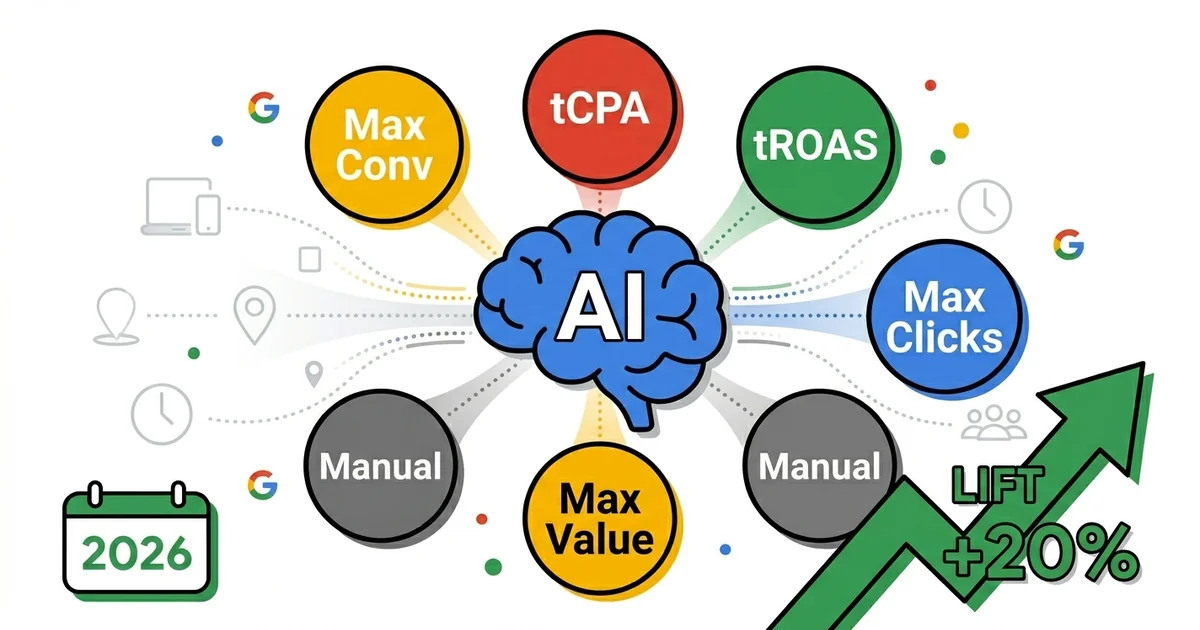
TL;DR — Smart Bidding 2026
Google Smart Bidding analyzes millions of signals in real time to optimize every ad auction. 95% of well-run accounts use some form of automated bidding — but only 30% set it up correctly.
70M+
signals per auction
+20%
typical conversion lift
7–14
day learning period
6
bidding strategies in 2026
Sources: Google Ads Help Center, Google Marketing Live 2025, experience from the accounts I manage (2024–2026).
Quick Answer
Smart Bidding is Google's suite of automated bid strategies that use machine learning to optimize bids in real time at every auction, aiming to maximize conversions or conversion value within a set budget or CPA/ROAS target.
Manual bidding is dead for 95% of accounts in 2026 — but that doesn't mean you should blindly enable Smart Bidding and forget about it. The difference between accounts achieving 4x ROAS with Smart Bidding and those burning budget without results isn't the strategy itself — it's how it's set up, when it's applied, and how well you understand what's happening under the hood.
From testing across the accounts I manage in 2024–2026 — from UK skincare and fashion eCommerce to Serbian local services and global moto parts targeting the US market — every strategy has been tested in different contexts. What works for a large eCommerce account with 500+ conversions per month doesn't apply identically to a local towing service with 30 calls per month. Context is everything.
This guide covers every Smart Bidding strategy, when to use each, common mistakes, and real client examples — with specific frameworks for eCommerce, Lead Gen, and local services.
One note before you start: bidding is the last layer of a Search campaign, not the first. If structure, keywords and measurement are not in place, no strategy will make up the difference. That groundwork is covered in the Google Search campaigns guide.
What is Smart Bidding and How Does the AI Work
Smart Bidding is a subset of automated bid strategies in Google Ads that use auction-time machine learning — meaning the algorithm makes a bidding decision at the moment of each auction, not according to a schedule you set in advance. Every time a user searches and your ad enters an auction, Google analyzes tens of millions of signals in milliseconds and calculates the optimal bid.
Which signals go into this calculation? Google officially identifies these categories:
| Signal Category | Examples | Impact |
|---|---|---|
| Device | Desktop, mobile, tablet, browser type | High |
| Location | Physical location, IP, language, local trends | High |
| Time | Day of week, time of day, season | Medium |
| Audience | Remarketing lists, custom intent, demographics | High |
| Search query | Query, match type, user search history | High |
| Browser / OS | Chrome, Safari, Firefox, iOS vs Android | Low |
| Site context | Topic of the page where the ad appears (Display) | Medium |
| List activity | Prior visits, interactions with your site | High |
The key difference between Smart Bidding and manual bid adjustments: you can set a mobile bid adjustment of -20%, but the algorithm can recognize in real time that a specific user on mobile at 7pm on a Thursday who has already visited your site once has a 3x higher probability of converting than the average user — and automatically raise the bid just for them. The granularity is simply not achievable manually.
Important: "Smart Bidding" vs "Automated Bidding"
All Smart Bidding strategies are automated, but not all automated strategies are Smart Bidding. Maximize Clicks and Target Impression Share are automated, but they don't use conversion signals — so they're not part of the Smart Bidding family. True Smart Bidding strategies are: Maximize Conversions, Maximize Conversion Value, Target CPA, and Target ROAS.
6 Bidding Strategies — Who, What, When
Google Ads offers six primary bid strategies in 2026. Each has its purpose, optimal context, and situations where you should not use it. From testing across the accounts I manage, here is an honest assessment of each.
Maximize Conversions
Maximize Conversions spends the full budget to achieve as many conversions as possible, without a cost target. The algorithm bids freely — it may pay a high CPA if it believes a conversion will occur.
When to use
- New accounts without data (<50 conv/month)
- New local service account: immediately on day 1
- Campaigns entering a new audience segment
- When volume matters more than efficiency
When NOT to use
- When CPA is critical for profitability
- Budgets without a hard monthly cap
- eCommerce without value tracking
- When conversions are poorly defined
Maximize Conversion Value
Maximize Conversion Value spends the full budget to achieve the highest total conversion value. The difference from Maximize Conversions: the algorithm prefers higher-value conversions over more conversions. Requires conversion value tracking (mandatory for eCommerce).
When to use
- eCommerce with varying product prices
- When higher average order value is a priority
- Before moving to tROAS (data collection phase)
- New eCommerce accounts tracking revenue
When NOT to use
- Lead Gen (all conversions same value)
- Local services (calls are calls)
- When you don't track conversion value
Target CPA (tCPA)
The Target CPA algorithm attempts to achieve conversions at a target average cost per acquisition. Some conversions will cost more, some less — but the average should land near your target. The go-to strategy for mature Lead Gen accounts.
When to use
- 50+ conversions in last 30 days (minimum)
- Stable CPA history (2+ weeks)
- Lead Gen where lead value is known
- Local service (towing): target €15–20 per call
When NOT to use
- New accounts without data
- CPA target well below actual average
- eCommerce with varying AOV
- Fewer than 30 conversions/month
Target ROAS (tROAS)
The Target ROAS algorithm optimizes toward a target return on ad spend (revenue ÷ ad cost × 100%). The most powerful strategy for mature eCommerce — but the most demanding in terms of data quality. Typically introduced from month 4 onwards once data is stable.
When to use
- 50+ conversions + value tracking (minimum)
- eCommerce with consistent AOV
- You know your margins and target ROAS
- UK skincare example: tROAS 500% (for POAS profitability)
When NOT to use
- Lead Gen (no real conversion value)
- Fewer than 50 conversions/month
- ROAS target unrealistically high (algorithm freezes)
- New accounts in data collection phase
Maximize Clicks
An automated (but not Smart Bidding) strategy — spends budget to generate as many clicks as possible. Does not use conversion signals. Useful for brand awareness and keyword research, but without optimization toward business goals.
When to use
- New account — collecting Search Terms data
- Brand awareness campaigns
- Testing new keyword sets
When NOT to use
- Performance accounts targeting sales
- Lead Gen campaigns
- Long-term — replace with Smart Bidding
Manual CPC
You set the bid for each keyword. Enhanced CPC, the former hybrid where Google adjusted your base bid for you, has not been available for Search and Display campaigns since late March 2025, and campaigns that weren't moved to another strategy now run as Manual CPC (as of October 2026). Manual CPC is relevant in specific situations, but for 95% of accounts there are better options.
When to use
- Very small budgets (<€100/month) with no room for the algorithm
- Hyper-specific targeting where every click must be approved
- Short transitional phase between strategies
When NOT to use
- Almost always in 2026 — better options exist
- Accounts with enough conversions for Smart Bidding
- eCommerce and Lead Gen with data history
Decision Framework — Which Strategy to Choose
The most common question I get: "Which bidding strategy should I use?" The answer depends on three factors: monthly conversion volume, campaign goal, and whether you track conversion value. Here is the decision tree I use for every new account I take over.
Decision Tree — Bidding Strategy
Step 1: How many conversions per month?
<30 conv/month
→ Maximize Conversions (no tCPA target)
30–80 conv/month
→ Maximize Conversions → transition to tCPA
80+ conv/month
→ tCPA or tROAS (depending on step 2)
Step 2: Do you track conversion value?
YES (eCommerce revenue tracking)
→ Maximize Conv. Value → tROAS
NO (Lead Gen / Local services)
→ Maximize Conversions → tCPA
Step 3: What is the primary goal?
Conversion volume
→ Maximize Conversions / tCPA
Value / ROAS
→ Maximize Conv. Value / tROAS
Visibility / awareness
→ Target Impression Share
Conversion Volume Requirements — Myth vs Reality
Google officially recommends a minimum of 50 conversions in 30 days before moving to tCPA or tROAS. This is correct as a theoretical optimum — but it's not an absolute rule. From experience across the accounts I manage, the reality is somewhat more flexible.
| Strategy | Google Recommendation | Real-World Minimum | Note |
|---|---|---|---|
| Maximize Conversions | No min. | 0+ (immediately) | Ideal for new accounts |
| Target CPA | 50/30d | 30–40/30d | Below 30: Maximize Conv. is better |
| Target ROAS | 50/30d | 30–50/30d | Requires conversion value tracking too |
| Maximize Conv. Value | No min. | 15–20/30d | But value tracking is required |
POAS vs ROAS — A Critical Distinction for eCommerce
ROAS (Return on Ad Spend) measures revenue ÷ ad cost. But revenue is not profit. POAS (Profit on Ad Spend) = profit ÷ ad cost — that is the metric that truly measures campaign health. For one UK skincare account, the goal was never maximum ROAS, but a POAS that ensures profitability at a given ad spend level.
Practical implication: if your gross margin is 40% and ROAS is 3x, you're at break-even. If ROAS rises to 5x with 30% less volume, you may actually earn more. Your tROAS target should be calibrated against your margin, not against industry averages.
Learning Period — What to Expect and What Not to Do
The learning period is one of the least understood aspects of Smart Bidding. When you launch a new campaign or change a bid strategy, Google's algorithm goes through a learning phase that typically lasts 7–14 days. During this period, performance can be unstable — higher CPA, lower ROAS, uneven spend.
Most common mistake: intervening during the learning period
Every change during the learning period restarts it. Changing the budget by more than 20%, changing the tCPA target, adding new keywords, pausing an ad group — all of these can restart learning. The result: the account is permanently in a learning period and never reaches stable performance. From experience: give the algorithm a minimum of 14 days without intervention before evaluating results.
| Period | What happens | What to do |
|---|---|---|
| Days 1–3 | Algorithm explores; CPA may be 2–3x higher | Do NOT intervene |
| Days 4–7 | Algorithm begins finding patterns | Monitor; don't change key parameters |
| Days 8–14 | Performance stabilizes, CPA normalizes | Safe to evaluate results |
| Days 15–30 | Full potential — baseline for optimization | Gradual target adjustment (max 20%/change) |
Common Smart Bidding Mistakes — From Auditing 10+ Accounts
Every time I take over a new account, I audit the bidding setup. Here are 8 mistakes I see most frequently — each of them directly impacting performance:
1. tCPA target set too low from day one
The most common mistake. Someone wants a €5 CPA but the historical average was €15. The algorithm can't find enough auctions at that price — spend drops to near zero. Rule: set the starting tCPA at your current average CPA (or up to 20% above it if spend drops), then lower it in steps of 10–15%.
2. Changing strategy every week
Maximize Conversions one week, tCPA the next, Manual CPC after that. The algorithm never exits the learning period. Stability is a prerequisite for Smart Bidding performance. Minimum 3–4 weeks per strategy before evaluation.
3. Portfolio bidding without understanding it
Portfolio bid strategy allows one shared strategy across multiple campaigns. Useful for accounts with low conversion volume per campaign — the algorithm learns from all campaigns together. But if campaigns have very different goals, a portfolio loses granularity.
4. tROAS on an account with fewer than 30 conversions
tROAS requires not just conversions but conversion values. With 20 conversions per month and a tROAS target of 400%, the algorithm is so restrictive it barely spends the budget. Maximize Conversion Value without a tROAS target is a better choice at that stage.
5. Ignoring the Bid Strategy Report
Inside the campaign settings, there is a Bid Strategy Report that shows how the algorithm is performing against your target. Most users never open it. This is the most direct insight into whether your target is achievable — if it shows "Limited by budget," increase the budget, not the target.
6. Enabling Smart Bidding without conversion tracking
Smart Bidding without accurate tracking is worse than Manual CPC. The algorithm optimizes toward the wrong signals. Verify your conversions are correctly set up before activating. Conversions must be set as Primary (not Secondary) for Smart Bidding to use them.
7. Ignoring Auction Insights during strategy changes
Auction Insights shows your Impression Share compared to competitors. If you switched to tROAS and IS dropped from 60% to 20%, it means the algorithm considers most auctions unprofitable at your target. Either the target is too aggressive or the budget is too small.
8. Changing budget by 50%+ at once
Drastic budget changes (up or down) can destabilize the algorithm. Recommendation: max 15–20% change per step, with a 5–7 day gap between changes. For seasonal increases (Black Friday), use Seasonality Adjustments instead of direct budget changes.
Smart Bidding by Business Type — Three Different Approaches
One size does not fit all. The strategy for an eCommerce brand is fundamentally different from a local plumber. Here is how I approach Smart Bidding for the three types of accounts I manage.
eCommerce accounts — UK skincare, global moto parts, Croatian multi-category
eCommerce is the ideal context for Smart Bidding because there is a clear conversion value — revenue from each order. The progression is almost always the same:
- Months 1–2: Maximize Conversion Value (no tROAS) — collecting value data
- Month 3: Introduce a tROAS target starting at your current ROAS, then raise it in steps of 10–15%
- Month 4+: Gradually raise tROAS toward the target level
- Mature phase: tROAS + Portfolio bidding with separate strategies for branded vs non-branded
For a UK skincare account, we use a tROAS strategy with a target that reflects POAS — not just ROAS. The reason: their gross margin varies by product category, so the target is calibrated against the product mix that delivers profitability at account level, not just revenue.
Tiered Shopping framework (a personal innovation from practice): separate campaigns for New Customers, Returning Customers, and a Feeder campaign for prospecting. Each has a different tROAS target because different user segments convert differently. Returning customers convert at ~30% lower CPA — a more aggressive bid is justified.
Lead Gen accounts (local services, B2B)
Lead Gen is more complex because conversions don't have a monetary value in the tracking system — a call or form submission is the conversion, but the lead value is unknown to Google. Recommended approach:
- Phase 1: Maximize Conversions — building volume
- Phase 2: tCPA when CPA history is stable (min 30 conversions/month)
- Advanced option: Assign conversion values (lead scoring) and move to Maximize Conv. Value
Local services — plumber, cleaning service (Serbia)
For local service businesses (plumber, cleaning, emergency response), geographic targeting is the critical factor that Smart Bidding must respect. Recommended approach:
- Maximize Conversions initially — very common for this category
- Maximize Conversion Value if you track service value (e.g. average invoice)
- Target CPA only with 40+ quality conversions per month
- Ad Scheduling + Smart Bidding combination: define working hours, let the algorithm bid within those hours
Bidding Strategy Migration Playbook
Moving from Manual CPC to Smart Bidding, or migrating between Smart Bidding strategies, requires a plan. An abrupt change destabilizes the algorithm and can cause a performance drop. Here is the playbook I use when taking over new accounts:
Audit conversion tracking
Day 1First: are conversions correctly set up? Primary vs Secondary conversions, Enhanced Conversions enabled, GA4 import active? Smart Bidding without accurate tracking is a disaster.
Analyze current performance data
Days 1–2What is the current average CPA/ROAS? What is the monthly conversion volume? What is the learning period status? Document a baseline for comparison.
Select starting strategy
Day 2For accounts without Smart Bidding: always start with Maximize Conversions (no target). For accounts that already have data: can go directly to tCPA/tROAS if conditions are met.
Change strategy + document
Day 3Change the strategy. Record the change date in the account and an internal document. The learning period starts immediately — do not intervene for the next 14 days.
Learning period — monitor without intervening
Days 4–14Monitor the Bid Strategy Report daily. If you see 'Limited by budget' — increase budget (not the target). If you see 'Learning' status — be patient. No changes to key parameters.
Evaluate after exiting the learning period
Days 15–21Compare performance before/after (same period, year-over-year or previous month). Is CPA/ROAS within the target range? If CPA is 20% above target — wait another week before adjusting.
Gradual target optimization
Day 22+If performance is good: lower tCPA by 10–15%, or raise tROAS by 10–15%. Wait 2 weeks. Repeat until you reach the target level. Never more than 20% at a time.
Conclusion — Smart Bidding Is Not Set-and-Forget
Smart Bidding is the most powerful tool in the Google Ads arsenal — but only if you understand what it does and what you cannot expect from it. The algorithm is good at optimizing toward the goal you give it. Your job is to give it the correct goal, correct conversions, and enough time to learn.
From testing across the accounts I manage in 2024–2026, a summary that holds regardless of business type. If you'd rather have someone experienced set this up and manage it for you, see my Google Ads management service.
- New account? Maximize Conversions, no target, minimum 4 weeks before evaluation
- 30+ conversions? Consider tCPA — start at your current average CPA, then lower the target in steps of 10–15%
- eCommerce with revenue tracking? Maximize Conv. Value → tROAS progression
- Smart Bidding underperforming? The problem is almost always tracking or the target, not the strategy
- Don't change anything in the first 14 days — the learning period is sacred
For deeper Google Ads campaign optimization, see:
- Microsoft Ads vs Google Ads — full comparison [2026]
- Google Ads audit checklist
- Google Ads Optimization: 30 Proven Tactics [2026]
- Conversion Tracking for Google Ads: Why Your Campaigns Aren't Working
- Performance Max: Complete eCommerce Guide [2026]
- How Much Does Google Ads Cost? Prices, Budgets & ROI [2026]
Frequently Asked Questions About Smart Bidding
How many conversions do you need for Smart Bidding?▼
Target CPA or Target ROAS — which is better?▼
How long does the learning period last and what resets it?▼
What is Portfolio Bidding and when should you use it?▼
Why is Smart Bidding spending budget but generating no conversions?▼
Does Manual CPC make sense in 2026?▼
Sources and Official Documentation
- Google Ads Help: About Smart Bidding
- Google Ads Help: Target CPA bidding
- Google Ads Help: Target ROAS bidding
- Google Ads Help: Seasonality adjustments for Smart Bidding
- Google Ads Help: About the bid strategy report
- Google Ads Optimization: 30 Proven Tactics [internal guide]
- Conversion Tracking Guide [internal guide]
Free video review
Want a video walkthrough of your Google Ads account?
I record a 15-minute video walking through your campaigns. I show where you're losing money and the three things I would fix first. No sales pitch.
What you get:
- A 15-minute personalized video review
- 3 red flags and the top 3 priorities
- Tracking and bidding strategy check
Requirements:
- Ad spend: $1,500+/month
- Active account for 3+ months
- eCommerce or Lead Gen business
Limited to 5 video reviews per month. Response within 48 hours.