
TL;DR
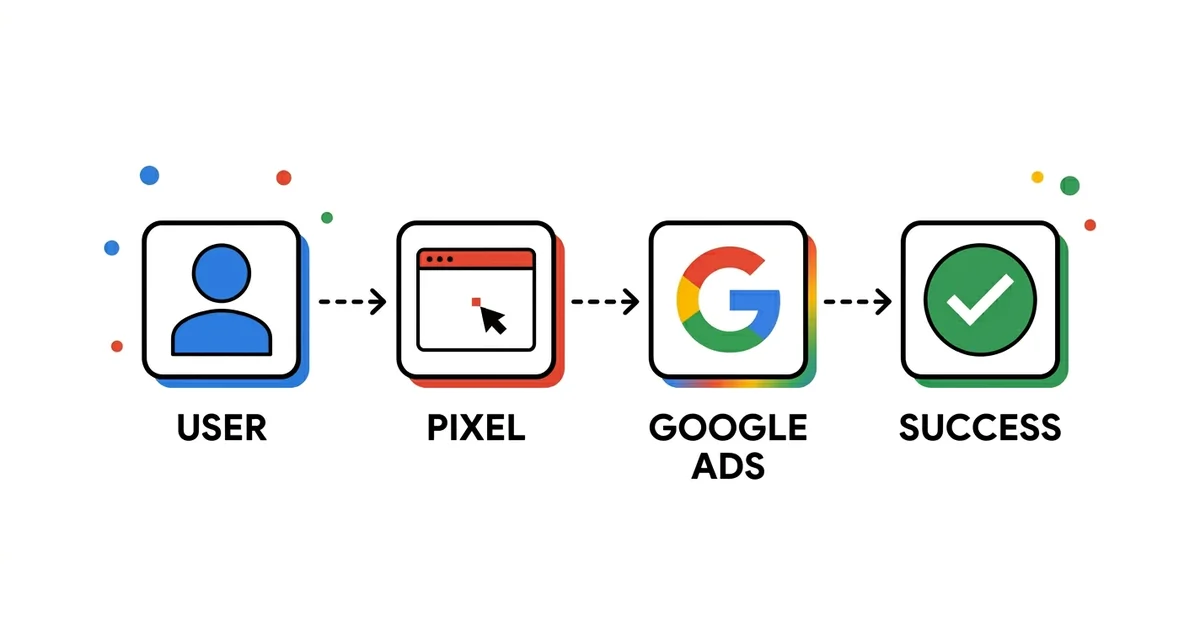
Without reliable conversion tracking, Google Ads campaigns run blind. Algorithms optimize toward wrong signals, budget is spent without clear ROI, and you make decisions based on inaccurate data. This guide shows how to properly set up GTM, GA4, and Google Ads tags, avoid common mistakes, and use Enhanced Conversions for maximum accuracy.
3
Conversion types
GTM+GA4
Complete setup
40%
Accounts have errors
0
Value without tracking
Quick answer
What is conversion tracking?
Conversion tracking is a monitoring system that records what a user does after clicking an ad — a purchase, call, or completed form. It's set up through GTM, GA4, and Google Ads tags and forms the foundation Smart Bidding algorithms use to optimize campaigns. Without accurate tracking, around 40% of accounts optimize toward the wrong signals and burn budget blind.
Every week I see the same situation. A company spends $2,000-5,000/£1,600-4,000 monthly on Google Ads. Campaigns are active, clicks are coming in, but results are either missing or unreliable. When I check the account, the problem is almost always the same — conversion tracking isn't working properly.
In my experience, poor tracking is the silent killer of Google Ads performance. Without reliable conversion data, you don't know what's working, algorithms optimize toward wrong signals, and you make decisions based on false data.
In this guide, I cover everything you need to set up precise conversion tracking: basic GTM setup, Consent Mode v2 for EEA and UK traffic, Google Ads conversion actions, and Enhanced Conversions. You'll also learn how to discover and fix the most common mistakes that cost your budget.
🔄 Living guide — change history
This guide is updated every month. What changed:
- September 2026: No change in measurement itself — GTM, GA4, and Google Ads tags are set up the same way as before. What changed is how fast a measurement error shows up in spend: since August 17, target-based bid strategies (tCPA, tROAS) hold budget-constrained campaigns closer to their set goal, so a misconfigured or duplicated conversion shapes budget more directly. Details in the "Why conversion tracking is the foundation of Google Ads" section.
- January 2026: First version of the guide.
What's new in measurement (2026)
Google has been changing GA4 and Google Ads under the hood throughout 2026, quietly, without an announcement that reaches most account owners. Here's what changed and what it actually means for someone who opens a report each month and makes decisions based on it.
August 2026
Conversion window is now adjustable
GA4 conversions now support a custom conversion window for click-through and engaged-view conversions — the EVC window can be set to any number of days from 1 to 30 (previously fixed at 3 days). If you sell something people think about for more than a couple of days (furniture, equipment, a B2B service), you can now set the window to match the actual decision cycle instead of GA4 "losing" conversions that arrive later.
February 2026
Measurement Protocol accepts cookies
The Measurement Protocol now supports client_id and session_id cookies, opening up more flexible server-side implementations. This only matters if you're building or maintaining server-side tracking — Google still recommends non-cookie identifiers as the more reliable choice, so it changes nothing for the standard GTM+GA4 setup described in this guide.
January 2026
Cross-channel budgeting in GA4
GA4 now has projection plans, which track whether spend is pacing the way it was planned, and scenario plans, which simulate "what if I reallocate budget" across channels with a projected ROI. In practice, part of the work you used to do by hand in a spreadsheet for the monthly report is now handled by a tool built into GA4.
During 2026
AI assistant traffic now gets reported
GA4 gained reporting on traffic coming from AI assistants during 2026 — ChatGPT and Perplexity referrals now show up as their own channel. For the first time, you can see how many visitors arrive directly from a conversation with an AI assistant, a channel that didn't exist in reports until recently.
February 2026
GA4's home now surfaces anomalies on its own
The generated insights panel on the GA4 home page now surfaces anomalies and opportunities on its own, without you having to go looking. It doesn't replace regular analysis, but it's a useful first signal — you can spot something unusual on the account the moment you open GA4, before you sit down to dig deeper.
Why conversion tracking is the foundation of Google Ads
I recommend viewing conversion tracking as your campaign's nervous system. Without it, algorithms don't know what's a good signal, and you lose control over budget.
This guide covers measurement inside Google Ads. The layer around it sits in three separate pieces: GA4 and Google Ads integration (how conversions get imported and why the numbers diverge), GA4 audiences for eCommerce (what to do with the data once tracking works), and offline conversion import for B2B accounts where the sale closes off-site.
Algorithms depend on your data
Google Ads Smart Bidding (Target CPA, Target ROAS, Maximize Conversions) uses machine learning to optimize bids in real-time. But ML is only as good as the data you feed it.
With bad tracking, the algorithm learns wrong signals — bids too high for bad traffic, bids too low for good traffic, and budget goes to waste. With good tracking, the algorithm understands what a real conversion is, bids more aggressively when signals are good, and saves budget when signals aren't promising.
That is why measurement comes before campaigns, not after them. It holds for Search campaigns, where you pick the keywords yourself, and for Performance Max, where the algorithm has no source of truth other than your conversions.
"A campaign without reliable conversion tracking is like a car without instruments — you're driving blind and don't know how fast you're going or how much fuel you're using."
Since August 17, 2026: a measurement error shows up in spend faster
Google changed how target-based bid strategies (tCPA, tROAS) behave on budget-constrained campaigns starting August 17, 2026: a campaign that was spending better than its set goal now drifts back toward that goal more consistently — efficiency tightens, spend stays the same, and Google doesn't touch the goal or the budget. This applies to Search, Shopping, PMax, Demand Gen, Display, Hotel, and Travel campaigns.
In practice: once a campaign holds more tightly to its set number, a misconfigured or duplicated conversion shapes spend more directly — there's less room for it to get smoothed out by a coincidentally good result elsewhere in the account. Before I touch a target value, I check four things: whether the same action is counted twice (mistake #2 below), whether a secondary conversion got flagged as Primary by mistake and is feeding the goal, whether Count is set wrong (Every instead of One, or the reverse), and whether conversion value is still arriving accurately after the last change to checkout or the form. This doesn't guarantee a better CPA — it just means a measurement error now shows up faster in what you spend, not only in the report.
Optimization without data is guesswork
If you don't know which keyword, ad, or audience brings conversions, how will you optimize? My experience shows that the difference between a campaign with tracking and without looks like this:
Without tracking: "I think this campaign is working well."
With tracking: "This campaign brings 47 conversions at $12.50/£10 each, while this one brings 3 conversions at $180/£145. We're reallocating budget."
Types of conversions to track
I recommend tracking not just the final goal (purchase or lead), but also steps leading to it. Here are the conversion types to set up for different business types.
Primary
Primary conversions
Campaign's ultimate goal — purchase, lead, call, registration. Used for bid optimization.
Secondary
Secondary conversions
Steps toward goal — add to cart, pricing page visit, catalog download. Used for observation.
Micro
Micro conversions
Engagement signals — scroll depth, video view, time on site. Help algorithm when volume is low.
Conversion examples by business type
| Business type | Primary | Secondary | Micro |
|---|---|---|---|
| eCommerce | Purchase | Add to cart, Begin checkout | Product view |
| B2B Lead Gen | Form submission, Demo request | Pricing page, Case study download | Time on site 2min+ |
| Local business | Phone call, Directions click | Contact page visit | Store locator use |
| SaaS | Trial sign-up, Paid conversion | Features page, Video view | Pricing calculator use |
3-level rule
I recommend setting up all three conversion levels. Primary for optimization, Secondary for observation and analysis, Micro for signals when volume is low. This gives the algorithm a more complete picture of user behavior.
Tools for conversion tracking
There are three main ways to track conversions in Google Ads. Each has its advantages and when to use it.
Recommended
Google Tag Manager
Centralized management of all tags. Flexible, easy to test and maintain. My first choice for all but simplest setups.
Analytics
GA4 Import
Uses GA4 events as conversions. Good for unified reporting, but attribution may differ from native Google Ads tracking.
Direct
Google Ads Tag
Direct tag placement through Google Ads interface. Simple for one-page setup, but less flexible for complex scenarios.
Advanced
Enhanced Conversions
Sends hashed first-party data (email, phone) to improve attribution despite cookie restrictions. I recommend for all campaigns with $1,000+/£800+ budget.
Consent Mode v2: mandatory before any tag (EEA/UK)
This is the step most setups skip, and without it the rest of the build doesn't work the way you think it does. Since March 2024, Google requires Consent Mode v2 for all EEA and UK traffic. If you advertise in those markets and consent signals never arrive, Google Ads loses conversion modeling, remarketing lists stop filling, and Enhanced Conversions simply don't run because they have no permission to send user data.
Consent Mode is the layer that tells Google's tags what the user did and did not allow. The tag still executes, but behaves differently depending on consent state. Your CMP (consent management platform) sets the signals; the tags read them.
The four signals you must send
| Signal | What it controls | What breaks when denied |
|---|---|---|
| ad_storage | Advertising cookies (click data, conversion cookie) | The click can't be tied to the conversion, only a modeled estimate remains |
| ad_user_data | Sending user data to Google for advertising purposes | Enhanced Conversions stop working, no hashed email or phone is sent |
| ad_personalization | Personalized advertising and remarketing audiences | The user never enters remarketing lists |
| analytics_storage | GA4 cookies and measurement | GA4 sets no identifier, sessions don't stitch together |
Basic vs Advanced consent mode
Basic
Tags don't load before consent
Google tags are blocked until the user accepts. If they decline, Google receives nothing at all, so there is no basis for modeling. Easier to defend legally, but you lose most of the data on users who declined.
Advanced
Tags load, but in restricted mode
Tags load immediately and, before consent, send only cookieless pings with no identifiers. Google uses those signals to model conversions from users who declined. The practical difference: Advanced recovers part of the lost conversions through modeling, Basic doesn't.
For most advertisers I work with, Advanced makes more sense, provided the CMP is configured correctly and legal signs off. That choice is a business and legal decision, not a technical one.
The order is the whole trick
The CMP and the consent default must execute before any conversion or analytics tag. In GTM that means: CMP template on the Consent Initialization - All Pages trigger, default state denied for EEA and UK, and only then the update based on the user's choice. Conversion Linker, the GA4 tag, and the Google Ads Conversion tag all come after that. If a conversion tag fires before a consent state exists, the tag runs in the wrong mode and the data point is gone.
What you actually lose by skipping it
- Conversion modeling switches off, so reports show only a fraction of real conversions
- Remarketing lists stop filling and audiences drop below serving minimums
- Enhanced Conversions don't work on EEA traffic because
ad_user_dataisn't granted - Smart Bidding learns from a truncated dataset, so bids are worse than they should be
Note for non-EEA markets (e.g. Serbia)
Serbia is not in the EEA, so Google's Consent Mode v2 requirement doesn't hit an account that targets the domestic market only. But the moment you have visitors from the EU or UK, the rule applies in full for that share of traffic. If you run any cross-border traffic, set up Consent Mode now rather than later. Independently of Google, local data protection law still expects a proper cookie consent flow.
Step by step — setting up tracking
This is the process I use for all clients. GTM + GA4 + Google Ads tag + Enhanced Conversions = complete setup that delivers maximum accuracy.
Before steps 2-6
If you have EEA or UK traffic, the CMP and consent default (Consent Mode v2) go in right after step 1, before every tag that records conversions. Details in the section above.
Important
Conversion Linker tag is often a forgotten step, but without it cross-domain and cross-device tracking doesn't work properly. Always set this tag on All Pages, after the consent setup and before any other conversion tag.
Conversion tracking for eCommerce
For eCommerce, my experience shows that tracking transaction value is critical. Without it, Google doesn't know the difference between a $10/£8 purchase and a $500/£400 purchase.
Purchase (Primary conversion)
Most important conversion. Must send dynamic value (transaction_value), currency, and transaction_id. Used for bid optimization.
- Trigger: Purchase confirmation page (e.g., /order-complete, /thank-you)
- Conversion value: Dynamic — pull from data layer
- Count: Every (each order counts)
Add to Cart (Secondary conversion)
Shows intent. I recommend setting as observation, not for bidding. Helps algorithm learn which products people add to cart.
- Trigger: Add to Cart button click event
- Conversion value: Optional (can be fixed value or product price)
- Setting: Secondary action (kept out of the "Conversions" column, used for observation)
Begin Checkout (Secondary conversion)
User started checkout process. Strong signal showing purchase intent. I use it for remarketing audiences.
- Trigger: Checkout page load (e.g., /checkout, /cart)
- Conversion value: Cart value (optional)
- Setting: Secondary action (kept out of the "Conversions" column, used for observation)
Value tracking rule
I recommend ALWAYS tracking transaction value for eCommerce. Without it, Target ROAS bidding doesn't work and you don't know how much revenue each campaign brings. Dynamic conversion values are mandatory for profitable optimization.
Conversion tracking for Lead Generation
For lead gen campaigns, my experience shows it's not enough to track just form submissions. You must track lead quality through offline conversion import.
Form Submission (Primary conversion)
Basic lead event. Trigger is usually form submission or thank-you page load. Use this for initial optimization.
- Trigger: Form submission event or Page URL contains "thank-you"
- Conversion value: Fixed value (e.g., average lead value)
- Count: One (one form submit = one conversion, even if user submits multiple times)
Phone Call (Primary conversion)
For B2B and local businesses, phone calls are often the most important conversion. Google offers a call asset (formerly called a call extension) that tracks calls from your ads.
- Setup: Google forwarding number or website call button click
- Minimum call duration: 60+ seconds (to filter spam)
- Conversion value: Average phone lead value
Google forwarding numbers aren't available in every country (Serbia, for example, isn't on the list). Where they aren't supported, track a click on the call button as a conversion or use a third-party call tracking tool.
Offline Conversions (Qualified lead)
This is the most important step for B2B. Import qualified leads or closed deals from CRM back into Google Ads. Without this, Google optimizes for volume, not quality.
- Setup: Capture GCLID in CRM at form submission
- Regular upload: Weekly or monthly (depending on sales cycle)
- Conversion value: Actual deal value (not average)
Offline Conversion Import — Game Changer for B2B
I recommend offline import to all B2B clients. The difference is huge — Google learns which type of leads actually become customers and optimizes toward that, not just toward volume of form submissions. Expect 20-30% better CPA after a few months of learning.
Most common conversion tracking mistakes
Over the years I've seen hundreds of accounts, and here are the mistakes that repeat most often. Each costs budget and performance.
Mistake #1
Conversion tag set on all pages instead of just confirmation page
Solution: Check trigger in GTM. Tag should fire ONLY on thank-you page (e.g., Page URL contains "/thank-you" or "/order-complete"). Use GTM Preview mode to test.
Mistake #2
Double counting — Google Ads tag + GA4 import for same conversion
Solution: Use ONE or THE OTHER, not both. If importing conversions from GA4, deactivate direct Google Ads tag for that same action. Double counting kills attribution accuracy.
Mistake #3
Conversion Linker tag missing or not on All Pages
Solution: In GTM create "Conversion Linker" tag type and set trigger to All Pages. This is the first tag that should fire before any other conversion tag. Without it, cross-domain tracking doesn't work.
Mistake #4
Not tracking conversion value (all conversions = "1")
Solution: For eCommerce use dynamic conversion values — send actual transaction_value via data layer. For lead gen, set fixed value matching average lead value. Without values, Target ROAS doesn't work.
Mistake #5
Only tracking purchase/lead, no secondary conversions
Solution: Add secondary and micro conversions (add to cart, pricing page, video view) and set them as Secondary actions, so they stay out of the "Conversions" column and don't drive bidding. This gives the algorithm more signals and helps when volume is low.
Mistake #6
Attribution model not adjusted to business type
Solution: Google retired first-click, linear, time-decay, and position-based models in 2023, so the choice is now Last Click or Data-Driven. For short sales cycles (impulse eCommerce), Last Click is still usable. For B2B with a long cycle, Data-Driven is the only alternative that accounts for the full path to conversion. Check in Google Ads → Goals → Measurement → Attribution.
How to verify tracking is working correctly
Setting up tracking is half the job. The other half is verification that everything works as it should. Here's the process I use for every account.
Google Tag Assistant Chrome Extension
Install extension, go through conversion flow on site, and verify tags fire on correct pages. Check if they send conversion ID, label, and value.
- Tag Assistant: tagassistant.google.com
- Go through entire conversion flow from landing page to thank-you
- Verify Conversion Linker tag works on All Pages
GTM Preview Mode
In GTM interface click "Preview", open site in new tab and go through conversion flow. Preview mode shows which tags fire and what data they send.
- Verify tags fire only on confirmation page
- Verify conversion value is correctly pulled from data layer
- Verify Enhanced Conversions tag sends user data
Google Ads Conversion Status
In Google Ads → Goals → Conversions → Summary check the Status column. Should say "Recording conversions" with green checkmark.
- If says "Unverified" — tag hasn't fired yet (make test conversion)
- If says "No recent conversions" — tag works but no traffic (OK for new campaigns)
- If says "Inactive" or "Error" — tag not properly set up
Real-time check in GA4
In GA4 → Reports → Realtime check if events appear in real-time when you make test conversion.
- Activate realtime view
- Make test conversion (form submission or purchase)
- Verify event appears within seconds
Cross-check with backend data
Compare number of conversions in Google Ads with actual number of orders/leads from CRM or eCommerce platform. Difference of 10-20% is normal, but if larger — you have tracking problem.
- Export conversions from Google Ads for past week
- Export orders/leads from backend system for same period
- Compare numbers — if difference >30%, investigate cause
Important
Conversions usually appear in Google Ads after 3-6 hours, but can take up to 24 hours. Don't panic if test conversion doesn't show immediately — wait a few hours and check again.
Frequently asked questions
How long until conversion appears in Google Ads?▼
Why do conversion numbers in GA4 and Google Ads differ?▼
Do I need a developer to set up conversion tracking?▼
What if I don't have a thank-you page?▼
How many conversions needed for Smart Bidding?▼
What is Enhanced Conversions and do I need it?▼
Need help with conversion tracking?
I offer complete conversion tracking setup — GTM, GA4, Google Ads tags, Enhanced Conversions, and offline import. Everything you need to track real results and optimize for profitability.
Schedule free consultationGoogle Ads Management
Proper tracking setup and campaign optimization
12 Most Common Google Ads Mistakes
Mistakes that cost budget and how to fix them.
Remarketing Guide 2026
How to retarget visitors who didn't convert.
Google Shopping Guide
Step by step setup for profitable Shopping campaigns.
How Much Does Google Ads Cost
Realistic budget and expectations for different industries.
Frequently asked questions about conversion tracking
What is conversion tracking and why is it important?▼
Google Tag vs GTM — which should I use?▼
What are Enhanced Conversions?▼
How many conversions do I need for Smart Bidding?▼
Why don't conversions match between Google Ads and GA4?▼
Free video audit
Get a Personalised Video Audit of Your Google Ads Account
I'll record a 15-minute walkthrough of your campaigns showing exactly where you're losing money and what to fix first.
Free personalised video audit
Want a video walkthrough of your Google Ads account?
I'll personally record a 15-minute video walking through your campaigns, showing you where you're losing money and giving you 3 specific things to fix immediately. No sales pitch — just value.
What you get:
- 15-min personalised video analysis
- 3 specific quick wins to implement
- Budget & bidding recommendations
Requirements:
- Ad spend: $1,500+/month
- Active account for 3+ months
- eCommerce or Lead Gen business
Limited to 5 audits per month. Response within 48 hours.