
TL;DR
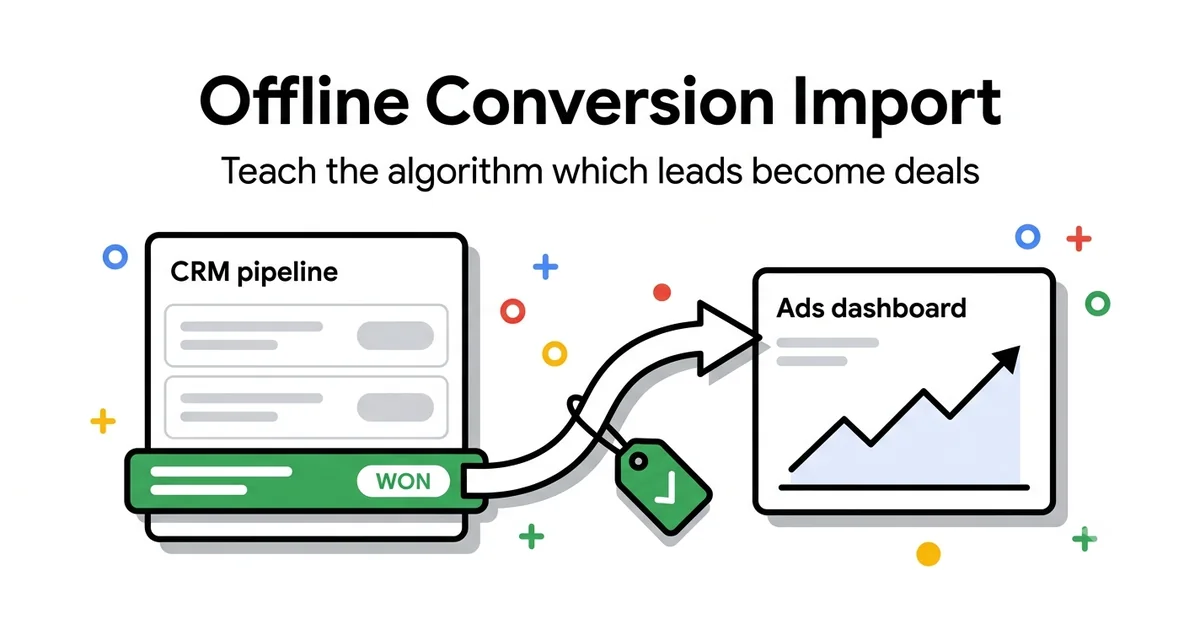
Offline Conversion Import (OCI) connects Google Ads to your CRM and tells the algorithm which leads actually became paying customers — not just which ones filled out a form. For B2B, this is the difference between a campaign that optimizes toward cheap, unqualified leads and one that learns to recognize real buyers. You need either GCLID tracking or Enhanced Conversions for Leads, plus a CRM that can export closed deals.
2
Import mechanisms
3
CRM setups (HubSpot/SF/Pipedrive)
90
Day conversion window
Closed-won
Primary conversion action
I work with a fair number of B2B clients, and I see the same mistake at the start of nearly every engagement: the account is set up to optimize toward "leads," and the only conversion Google sees is a completed form on the website. The algorithm then does exactly what it's told — bring in as many people as possible who will fill out a form, at the lowest possible cost.
The problem is that "filled out a form" and "became a customer" are often not the same thing. In B2B sales, there's a sales cycle between the lead and the closed deal that can run for weeks or months, moving through MQL (marketing qualified lead), SQL (sales qualified lead), and eventually Closed-won or Closed-lost. Google Ads doesn't see any of that — unless you tell it.
This guide covers both offline conversion import mechanisms, a concrete setup per CRM (HubSpot, Salesforce, Pipedrive), how to value each lead stage correctly, and the mistakes that most often quietly wreck the accuracy of the whole system.
The problem: optimizing for lead volume
When the only conversion in an account is "form submission," Smart Bidding does something perfectly logical — and perfectly wrong. It hunts for the cheapest possible forms. The algorithm has no way of knowing whether the form was filled out by a procurement director at a 200-person company or a student looking for a free trial for a class assignment. Both count as "1 conversion."
The consequence is predictable. Cost-per-lead drifts down over time — which looks like a win in the report. But once sales starts calling those leads, the qualification rate drops. Marketing reports "record lead volume," sales complains "these leads are worthless," and both teams are staring at the exact same numbers reaching opposite conclusions.
The root problem isn't the campaign, the targeting, or the budget — it's the signal you're feeding the algorithm. As long as the conversion action is "any form," you have no way to teach Google to tell good traffic from bad. Offline conversion import exists precisely to fix this signal problem.
"Optimizing for form volume with no feedback loop on quality is like paying a salesperson commission for every phone call, regardless of whether the customer bought anything."
Why this shows up especially in B2B
In eCommerce, the purchase happens immediately — Google sees the transaction within minutes and learns directly from it. In B2B, the real value of a lead is only known once sales has qualified it, run a demo, sent a proposal, and negotiated — a process that takes days or months. Without a feedback loop, Google never gets that information and stays stuck optimizing toward the top of the funnel.
Two mechanisms: GCLID vs Enhanced Conversions for Leads
There are two ways to connect offline business outcomes back to Google Ads clicks. They can be used separately or together — in practice I recommend both, since they cover each other's blind spots.
Mechanism 1
GCLID-based import
The classic approach. The Google Click ID is captured from the URL parameter on arrival, stored in a hidden form field, and travels with the lead into the CRM. Later, that same value is sent back to Google Ads along with the deal's outcome.
Mechanism 2
Enhanced Conversions for Leads
A newer approach based on a hashed email or phone number from the form, without relying on GCLID. More resilient against blocked cookies and long sales cycles, where a GCLID cookie can expire before the deal ever closes.
| Criteria | GCLID-based import | Enhanced Conversions for Leads |
|---|---|---|
| What's needed | Hidden GCLID field in the form + a CRM field to store it | Hashed email/phone (SHA-256) sent via the Google Ads API or GTM |
| Advantages | Simple to implement, well documented, works natively with CSV upload | Not cookie-dependent, still works after GCLID expires, better match rate on longer cycles |
| Limitations | GCLID cookie has a lifespan (default 90 days in Google Ads); long B2B cycles can outlive it | Requires exact data formatting and hashing; match rate depends on data quality of email/phone |
| Privacy note | GCLID is a technical identifier, but tracking cookie consent is still required | Email/phone are personal data — you need a lawful basis for processing and must hash BEFORE sending, never plain text |
Recommendation
For B2B with a sales cycle longer than 2-3 months, I recommend running both mechanisms in parallel. GCLID import as primary, Enhanced Conversions for Leads as a backup that catches deals where the GCLID cookie has already expired. This meaningfully improves match rate over the long run.
HubSpot setup
HubSpot has a native Google Ads integration that simplifies most of this work, provided Marketing Hub is in place and deal stages are configured properly.
Note
The native integration only works if the HubSpot tracking code was installed BEFORE the lead arrived on the site. Contacts created before the integration went live won't have a GCLID available — offline import won't work retroactively for them.
Salesforce setup
Salesforce also has a native Google Ads integration (Marketing Cloud Connect, or a direct Google Ads-Salesforce connector), but it requires a bit more admin work around custom fields.
Most common trap
The team forgets to map the GCLID field in Lead Conversion Settings, so the value is lost the moment a lead converts into an Opportunity. This is the single most common reason Salesforce offline import "doesn't work" — the data was there, it just got dropped during the object conversion.
Pipedrive setup
Pipedrive has no native Google Ads integration for offline conversions, so you need one of two approaches — automation via Zapier/Make, or a manual scheduled CSV upload. For smaller teams without an automation budget, the CSV approach works perfectly well.
Option A — Zapier or Make automation
- Trigger: Deal stage changed to "Won" in Pipedrive
- Zapier/Make reads a custom field holding the GCLID value (which you've previously created in Pipedrive and populated via a web form/hidden field)
- Action: Google Ads — Upload Click Conversion, with GCLID, conversion action name, conversion time, and deal value from Pipedrive
- Advantage: near real-time, no manual work once the initial setup is done
Option B — Scheduled CSV upload
- Create a "Google Click ID" custom field at the Deal level in Pipedrive, populated via a web-to-lead form
- Weekly or monthly, export the "Deals won in last 7/30 days" filter as CSV with columns: Google Click ID, Conversion Name, Conversion Time, Conversion Value, Conversion Currency
- In Google Ads: Goals → Conversions → Uploads → CSV upload, match the columns and submit the file
- Downside: lag versus real-time, depending on upload frequency — Google recommends uploading within 90 days of the click
Practical tip
If you're just starting out and don't have a Zapier/Make budget yet, start with a weekly CSV upload — it's 15 minutes of work a week, and it's enough to get the algorithm learning. Add automation later once the process has proven itself.
Valuing stages — MQL, SQL, Closed-won
One of the biggest mistakes is treating every pipeline stage as an identical conversion with an identical value. In practice, MQL, SQL, and Closed-won carry completely different weight — and your Google Ads conversion actions should reflect that.
Stage 1
MQL (Marketing Qualified Lead)
Set as a Secondary/observation conversion with a low fixed value. Useful as an early signal while you don't yet have enough Closed-won data, but it must not be the primary optimization target.
Stage 2
SQL (Sales Qualified Lead)
Also Secondary, but with a higher fixed value than MQL. This marks the moment sales confirmed the lead is relevant — a stronger quality signal than the form alone.
Stage 3
Closed-won
The Primary conversion action for bidding. Value = actual contract value (Deal Amount), not an average. This is the only signal that directly tells the algorithm "this is a real customer."
How to set up conversion actions in Google Ads
Rule for switching optimization targets
Don't flip optimization from "form" straight to "Closed-won" overnight. Do it in stages — first add MQL/SQL as observation while data accumulates, then introduce Closed-won as primary only once you have at least a few months of historical closed-deal data.
Common mistakes with offline import
These are the mistakes I see repeated in almost every account where offline conversion import is newly introduced. Each one quietly wrecks the system's accuracy, even when it looks like everything's "working."
Mistake #1
Double import — the same deal is sent twice (e.g., via both CSV and a Zapier automation)
Fix: Define one import channel per conversion action. If you introduce automation, turn off the parallel manual upload for the same deals. Google Ads deduplicates by GCLID + conversion action + conversion time, but only if all parameters match exactly — small timing differences can create duplicates.
Mistake #2
Conversion window too short for a long B2B sales cycle
Fix: If your average sales cycle is 60-90+ days but the conversion window is set to the 30-day default, the system systematically loses Closed-won deals that originated from older clicks. Set the window to the 90-day maximum and check your average sales cycle from the CRM to gauge how much still falls outside that range.
Mistake #3
Every value is $1 or a fixed number — the algorithm is "blind" to the difference between a small and large deal
Fix: Always pass the actual contract value (Deal Amount) for Closed-won, never a fixed or symbolic value. Without a value differential, Target ROAS can't do its job — the algorithm treats a $500 deal and a $50,000 deal identically.
Mistake #4
Forgotten consent — GCLID/email is captured and sent without a lawful basis
Fix: Before enabling any offline import mechanism, check the site's consent banner and privacy policy — users need to be informed their data is used for advertising purposes. For Enhanced Conversions for Leads, hashing must happen BEFORE sending the data, never after, and you should never send plain-text email/phone.
Mistake #5
GCLID doesn't survive every step of the CRM pipeline (e.g., lost during Lead-to-Opportunity conversion)
Fix: Run a single test lead end-to-end, from ad click to Closed-won in the CRM, and confirm the GCLID field stays populated at every step. This is a particularly common failure point in Salesforce during Lead-to-Opportunity conversion.
The B2B accounts I've worked on longest tend to share this same discipline around clean, single-source reporting.
Frequently asked questions
Do I need both GCLID and Enhanced Conversions for Leads, or is one enough?▼
How quickly should I upload offline conversions after a deal closes?▼
What if my CRM has no native Google Ads integration?▼
Does offline conversion import violate privacy regulations like GDPR?▼
How soon will I see better results after introducing offline import?▼
Need help connecting Google Ads to your CRM?
I set up offline conversion import for B2B clients — from GCLID/Enhanced Conversions configuration to integration with HubSpot, Salesforce, or Pipedrive pipelines. The result: an algorithm that learns from real business outcomes, not just completed forms.
Schedule a free consultationGoogle Ads for B2B
Campaigns and tracking built for long sales cycles.
Google Ads for SaaS
Trial-to-paid tracking and full-funnel valuation.
Conversion Tracking Guide
Complete GTM, GA4, and Google Ads tag setup.
GA4 and Google Ads Integration
How to connect GA4 data to Google Ads optimization.
Google Ads Consulting
A one-off audit or ongoing strategy partnership.
Free tools
Check your own account, no email required
Four tools that run in the browser: a 38-point Performance Max review, a budget calculator, a GA4 audience framework and an account audit checklist.
Free tools, no form
The tools I built for my own accounts
I built these because I needed them while working on accounts. They run in the browser, they don't ask for an email, and they show the whole result on the spot.
PMax Check
38 checkpoints, weighted score per group
Budget calculator
what the account needs per phase
GA4 audience framework
25 lists, 6 pillars
Audit checklist
50 items to run on any account