
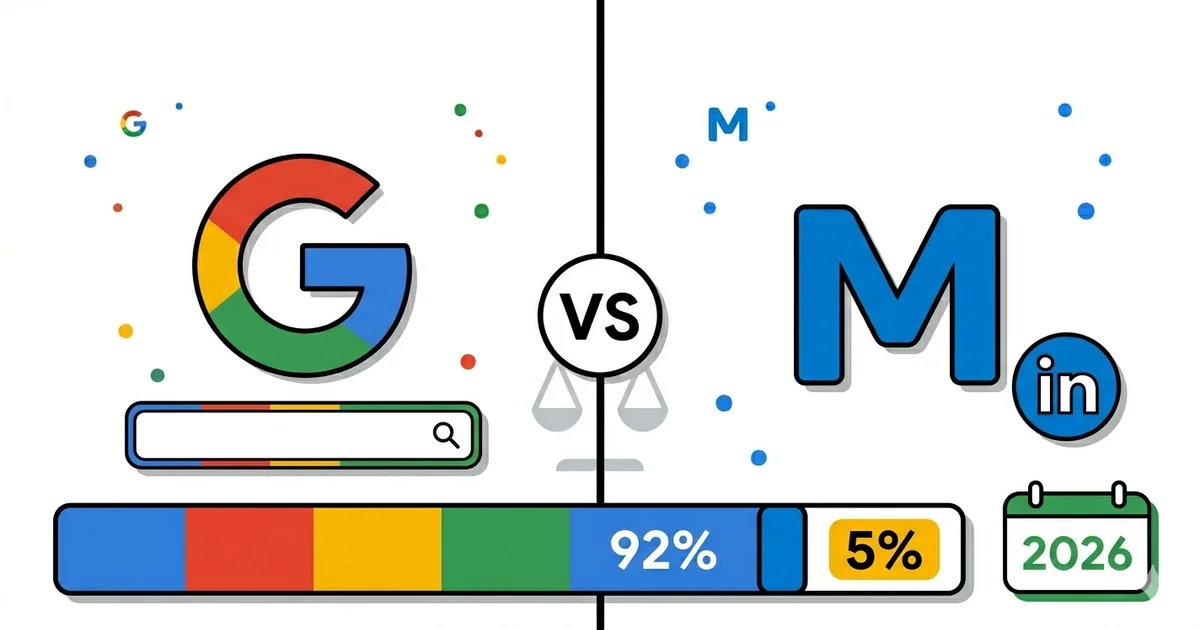
At a Glance — Two Platforms, One Budget
Google holds 92% of the search market. Microsoft Ads covers the remaining 5–8% — but that audience is older, wealthier, and pays 30–50% lower CPC. I have been running both platforms simultaneously for UK and US clients for years — and Microsoft Ads is not sidelined. On the contrary, it is approached carefully, but it is remarkably easy to run. Here is what I have learned.
92%
Google search market share
-40%
lower CPC on Microsoft Ads avg.
35+
avg. age of MS Ads user
£500
typical MS Ads share of budget
Data: StatCounter GlobalStats, Microsoft Advertising, WordStream. Updated: April 2026.
Quick Answer
Google Ads is non-negotiable for any business advertising online — 92% market share, unmatched reach, and the most advanced automation available. Microsoft Ads is a profitable supplementary channel: 30–50% lower CPC, an older and wealthier audience (35+, higher incomes), and unique LinkedIn targeting available exclusively through the Microsoft platform.
I have been running Google Ads and Microsoft Ads simultaneously for UK and US clients for years — mostly in the context of skincare, fashion, and furniture eCommerce. The typical split is ~85% of budget on Google and ~15% on Microsoft on Google and £500 on Microsoft. This is not a theoretical comparison: every insight in this post comes from real data, real conversions, and real money spent on both platforms.
PPC consultants who manage both platforms simultaneously are rare. Most choose one or the other. After years of parallel management, I can say with confidence: the right strategy is knowing when to use each platform and how to combine them to extract the maximum return from every pound spent.
In this guide I walk through the market share reality, audience differences, CPC benchmarks, feature parity (both platforms have RSA, Shopping, and a PMax equivalent), patterns I see on accounts where both platforms run in parallel, and a decision framework you can apply to your business right now.
Market share reality — what 5% actually means in numbers
When you tell someone that Microsoft Ads (Bing) holds 3–5% of global search market share, the immediate reaction is usually "that seems negligible." But that figure is misleading. Bing/Microsoft Search processes 12+ billion searches per month globally. In the UK (a typical UK market), Bing holds roughly 7–9% market share — above the global average.
In the United States, Bing holds approximately 12% of all desktop searches. The reason: Internet Explorer and Edge ship with Bing as the default search engine. Every user who has never changed their browser settings uses Bing. That is a demographic segment worth paying close attention to for certain product categories.
| Market | Google share | Bing / MS share | Note |
|---|---|---|---|
| Global | ~92% | ~3–5% | StatCounter 2026 |
| USA (desktop) | ~80% | ~12% | Edge default effect |
| United Kingdom | ~87% | ~7–9% | Relevant for UK brands |
| Germany | ~88% | ~5–7% | Worth testing for DE |
| Serbia / Eastern Europe | ~97% | ~2% | MS Ads not a priority locally |
The practical takeaway: if you sell exclusively to local markets in Central and Eastern Europe, Microsoft Ads is not your priority. For businesses selling into the UK, USA, Australia, Canada, or Germany, Microsoft Ads is a serious channel that merits testing.
Audience differences — who are Microsoft Ads users
This is perhaps the most important difference between the platforms, and the one most frequently overlooked. Users who search on Bing are not simply "smaller Google users" — they are a statistically distinct demographic group.
Google Ads — typical user
- Broad demographics (18–65+)
- Mobile dominant (60%+ of searches)
- Younger audience (25–35 center of gravity)
- Mixed income profile
- Chrome, Android, Gmail ecosystem
- Open to impulse purchases
Microsoft Ads — typical user
- Older demographics (35+, 45+ strongly represented)
- Desktop dominant (70%+ of searches)
- Higher income than average
- Corporate / business users (Edge, Office ecosystem)
- More deliberate — researches before buying
- Higher average order value (AOV)
From my experience with UK skincare accounts: the audience that converts on Microsoft Ads is on average 8–12 years older than the Google audience. That same audience has higher disposable income and purchases premium product lines more frequently. For a brand selling skincare in the £30–£120 price range, this is a meaningful difference.
Microsoft Ads users spend more time researching before purchasing. This means that ad copy that performs well on Google (quick benefit, urgency, punchy CTA) may not be optimal for Microsoft. On Bing, what works better is: detailed product information, social proof (reviews, customer counts), and emphasizing quality over delivery speed.
LinkedIn targeting — an exclusive advantage available only on Microsoft Ads
Microsoft acquired LinkedIn in 2016 for $26.2 billion. This acquisition was not only a business move — it delivered a unique targeting data set that no other search platform possesses: professional demographic data from LinkedIn profiles.
LinkedIn Profile Targeting in Microsoft Ads
In Microsoft Ads you can target search users by the following LinkedIn dimensions:
Industry
- Financial services
- Healthcare
- Technology
- Legal and consulting
- 40+ categories
Job Function
- C-level (CEO, CFO...)
- Director / Manager
- Senior individual contributor
- Decision makers
Company
- Company name targeting
- Company size (SMB, Enterprise)
- Specific employer targeting
Practical application: if you sell a B2B SaaS tool and want to reach IT managers in the financial sector at companies with 500+ employees — Google Ads does not have that precision. Microsoft Ads can target exactly that group through LinkedIn integration, and at the search level (not just display). This is an enormous advantage for B2B advertisers.
For eCommerce brands: LinkedIn targeting is less directly relevant, but applications exist. We target users in certain high-income industries — finance, law, medicine — because they are more likely to purchase premium skincare.
Note on LinkedIn targeting
LinkedIn Profile Targeting works as an audience bid modifier, not as exclusion targeting. Use it to adjust bids (+20%, +30%) towards segments that convert better — not to restrict reach. Always start in observation mode before applying bid adjustments.
CPC differences by industry — real benchmarks
Lower CPC on Microsoft Ads is not a myth — it is a consistent reality explained by lower competition. Fewer advertisers use Microsoft Ads, which means fewer bids in each auction, which means lower cost per click. From my experience with UK skincare and fashion accounts, Microsoft CPCs are consistently 35–45% lower than Google CPCs for identical search terms.
| Industry | Google CPC (UK avg.) | Microsoft CPC (UK avg.) | Saving |
|---|---|---|---|
| Skincare / Beauty | £0.45–£0.90 | £0.25–£0.50 | ~40% |
| Financial services | £3.00–£8.00 | £1.80–£4.50 | ~40% |
| B2B SaaS / Software | £2.00–£6.00 | £1.00–£3.20 | ~45% |
| Legal services | £4.00–£12.00 | £2.00–£6.50 | ~45% |
| Hobbies and leisure | £0.30–£0.70 | £0.18–£0.40 | ~40% |
| eCommerce (general) | £0.40–£1.20 | £0.22–£0.65 | ~40–45% |
Important caveat: lower CPC does not automatically mean better ROAS. If search volume on Bing is 10x smaller and CPC is 40% lower but conversion rate is similar — the math works. But if conversion rate is lower due to different traffic quality, CPC savings disappear in higher CPA. Always look at CPA (Cost Per Acquisition), not CPC alone.
From practice: I consistently see a lower conversion rate on Bing versus Google for identical products, but a higher average AOV — the older audience buys more premium lines. Net result: CPA is similar, but POAS (Profit on Ad Spend) is slightly better on Microsoft due to higher AOV.
Feature parity — RSA, Shopping, PMax equivalents in 2026
One of the biggest developments in Microsoft Ads over the past few years: aggressive parity pursuit with Google. Here is where things stand in 2026:
Responsive Search Ads (RSA)
Both platforms have RSA format — 15 headlines, 4 descriptions, Google/Microsoft combines automatically. Key difference: Microsoft Ads RSA performance insights are less granular than Google's (Asset performance labels are Basic vs. Google's Good/Best/Low/Learning). Character limits are identical (30 for headline, 90 for description).
Tactic: reuse the same headlines and descriptions from Google — Microsoft's import tool automatically pulls campaigns from Google Ads.
Microsoft Shopping Campaigns
Direct Google Shopping equivalent — Microsoft Merchant Center, product feed (same format as Google), Shopping campaigns with Product Groups. The feed can be imported directly from Google Merchant Center. On accounts where we run both platforms, we run parallel Shopping campaigns on both platforms with the same feed and adjusted bids.
Key difference: Microsoft Shopping lacks Google's Shopping Intelligence tab and provides less impression share data, but core functionality is identical.
Performance Max equivalent — Microsoft Audience Campaigns + Microsoft PMax
Microsoft does not have an identical PMax, but it has the Audience Network (equivalent to Google Display/YouTube network) and its own Performance Max campaign that automatically distributes budget across Search and Shopping. A terminology note: Smart Shopping no longer exists on either platform. Google shut it down in 2022 and migrated it into Performance Max, and Microsoft likewise folded its Smart Shopping campaigns into Performance Max. If an older guide tells you to build a Smart Shopping campaign, that campaign type is gone.
From practice: Audience Network campaigns deliver lower CPCs than Google Display, but also lower intent. We use it for remarketing, not cold traffic.
AI and automation — where Google leads
Google's Smart Bidding (tROAS, tCPA, Maximize Conversions) is more mature and reliable due to the sheer volume of conversion data it processes. Microsoft Smart Bidding works, but requires more time to learn and more conversions to stabilize. For accounts with fewer than 30 conversions per month, Microsoft Smart Bidding can be unstable.
Recommendation: start with Manual CPC or Enhanced CPC on Microsoft Ads until you have accumulated 30+ conversions per month, then transition to tROAS or tCPA.
| Feature | Google Ads | Microsoft Ads | Leader |
|---|---|---|---|
| RSA format | Yes | Yes | Tied |
| Shopping campaigns | Yes | Yes | Google (better reporting) |
| Performance Max | Yes (mature) | Beta | |
| Smart Bidding | Yes (mature) | Yes (less data) | |
| LinkedIn targeting | No | Yes | Microsoft |
| Audience Network (Display) | Yes (GDN) | Yes (MS Audience Net.) | Google (larger network) |
| Google Import tool | N/A | Yes (automatic import) | Microsoft (convenience) |
| Reporting granularity | Excellent | Good |
Real patterns from UK/US accounts — dual platform management
From years of running both platforms simultaneously for UK and US eCommerce brands, here are the concrete patterns I have observed — without precise figures that are confidential, but with clear relative trends:
Finding 1: AOV is consistently higher on Microsoft Ads
Customers arriving from Bing search have on average 15–25% higher Average Order Value than Google customers. The older demographic purchases premium products — premium lines line (~£80–£120 per item) proportionally more than the entry-level line (~£20–£35). This directly impacts the POAS calculation.
Finding 2: Microsoft import tool saves hours of work each month
Microsoft's "Import from Google Ads" feature is genuinely useful. You can automatically pull an entire campaign structure from Google Ads directly into Microsoft Ads. In the dual-platform workflow, the initial Microsoft setup took 3–4 hours instead of the typical 15–20 hours for a manual build. Campaigns sync monthly — new ad copy, new assets (formerly extensions), new negative keywords.
Finding 3: Conversion rate is lower, but not dramatically
Microsoft Ads conversion rate is consistently 20–30% lower than Google for identical campaigns. The explanation: lower volume means less data for Smart Bidding to optimize, and the more deliberate demographic profile brings more "window shoppers." Importantly: lower CVR is compensated by lower CPC, so CPA remains competitive.
Finding 4: Desktop dominance requires adapted ad copy
With 70%+ desktop searches on Bing, Microsoft campaigns have different asset performance patterns from Google. Longer descriptions (90 characters) that detail product benefits outperform the short, punch-oriented headlines that dominate on mobile Google search. We adapted descriptions to emphasize "dermatologically tested," "UK-made," and specific ingredient benefits — information a desktop user in research mode wants to see.
Finding 5: Impression Share is easier to win on Bing
On Google Ads, capturing 80%+ impression share for competitive terms requires aggressive budgets. On Microsoft Ads, the same impression share is achievable with a 3–5x smaller budget due to fewer competing advertisers. A typical UK brand maintains 85%+ IS on branded searches on Bing with a budget that would cover only 40% IS on Google.
Conversions and attribution — where platforms diverge
One of the practical challenges in managing both platforms simultaneously is conversion attribution. A user may see an ad on Google, not purchase, then see an ad on Bing the next day and buy. Both platforms will credit themselves for that conversion — a phenomenon known as double counting.
How to solve the attribution problem in practice
Use GA4 as your source of truth — GA4 Cross-Channel attribution (Data-Driven model) gives a neutral view of each platform's contribution.
Track Assisted Conversions in GA4 — Google Ads and Bing can both be assisted channels in a multi-touch journey, not always last-click.
Do not optimize each platform in a vacuum — look at total revenue growth, not just platform ROAS. If both are growing, it is working.
Microsoft's budget is 15% of total. If you pause Microsoft and overall revenue drops by more than 15%, the platform is delivering incremental value.
Reporting differences: Google Ads has a more advanced Search Terms report, impression share data by auction, and Auction Insights showing competitors. Microsoft Ads offers useful LinkedIn demographic reporting (who is clicking by industry and job function) — but the general reporting interface is less intuitive than Google's, especially for granular analysis.
When to use Microsoft Ads — a decision framework
From my experience, Microsoft Ads is worth testing when these conditions are cumulatively met. If none of these apply, start with Google and optimize it before diversifying.
You sell into the UK, USA, Australia, Canada, or Germany
Microsoft Ads makes sense only in markets where Bing holds relevant market share (5%+). For purely local markets in Eastern Europe — Google is sufficient.
Your Google Ads account is stable and profitable
Microsoft Ads is a supplementary channel, not a substitute. If Google is not working, Microsoft will not fix it. Optimize Google first, then diversify.
Your product or service targets the 35+ demographic
Premium skincare, financial products, healthcare, B2B services, luxury hobbies — all categories where older demographics spend more.
B2B or professional services — LinkedIn targeting is relevant
This is the killer advantage of Microsoft Ads. If you are targeting business users by industry, job function, or company — there is no equivalent elsewhere.
You have the budget to manage a second platform
The Microsoft import tool helps, but managing two platforms still requires time. Minimum monthly spend for meaningful Microsoft Ads testing: £300–£500 (UK).
NOT: If your Google account is underperforming
Diversifying when results are poor is not strategy — it is loss of focus. Fix Google first, then consider Microsoft.
When to run both platforms simultaneously — and how to do it efficiently
If you meet the criteria for Microsoft Ads, the next question is: how do you manage both platforms without duplicating work or creating attribution confusion? From the dual-platform experience, here is the system that works:
Google Ads — primary platform
- Full budget, full focus, full optimization
- Smart Bidding with mature conversion data
- A/B testing of ad copy and landing pages
- PMax campaigns for scaling
- Shopping campaigns
- Remarketing for all audience segments
Microsoft Ads — supplementary platform
- Monthly import from Google Ads (synchronization)
- 15% of total budget (starting rule)
- LinkedIn targeting bid adjustments for relevant segments
- Manual CPC or eCPC until conversions accumulate
- Shopping on parallel with Google
- Focus on branded keywords + top non-branded
The workflow I use: every first Monday of the month, I import changes from Google Ads into Microsoft Ads (new ad copy, new negative keywords, bid adjustments). The monthly Microsoft performance review takes 45–60 minutes, versus 3–4 hours for Google. Total additional time for the second platform: 90 minutes per month. That is an efficient ratio for a channel that delivers 12–15% incremental conversions.
Pro tip: Microsoft Import tool in 3 steps
- Microsoft Ads → Tools → Import Campaigns → Import from Google Ads
- Connect your Google Ads account, select campaigns to import, map budgets
- Set automatic import (monthly) — you receive a notification each time with a change summary
For context on how both platforms compare against a third channel and where each fits in the full paid media mix:
- Google Ads vs Meta Ads: Which Is Better for Your Business?
- Performance Max: Complete eCommerce Guide
- Google Shopping Campaigns: Complete Guide
- How Much Does Google Ads Cost? Prices, Budgets and ROI
Conclusion — which platform for which business
After years of running both platforms in parallel for UK and US clients, my position is clear: Google Ads is non-negotiable; Microsoft Ads is worth testing for the right businesses.
This is not a question of which is "better" — it is a question of which is primary and which is supplementary. Google's market share, advanced automation, and platform maturity make it the foundation of any paid search program. Microsoft Ads earns its place on top of that foundation when: you sell to English-speaking or major Western European markets, you are targeting the 35+ demographic, you have a B2B component, or you simply want to capture an additional 5–12% of potential customers at a lower cost per click.
For businesses selling internationally into the UK, USA, or Germany: a Microsoft Ads test campaign at £300–£500 per month can be one of the most cost-effective experiments you run. The asymmetry is compelling — lower competition, lower CPC, higher AOV audience, and an import tool that makes setup nearly effortless if you already run Google Ads. If you want someone to manage your Google Ads account while you test Microsoft Ads in parallel, see my Google Ads management service.
If you have questions about setting up Microsoft Ads or how to integrate both platforms into a coherent strategy, get in touch — free 20-minute intro call. Or see my consulting service. Before you touch bids, it also helps to run a Google Ads audit checklist on your main account first.
Frequently asked questions — Microsoft Ads vs Google Ads
Is Microsoft Ads worth it for small businesses?▼
How difficult is it to move Google Ads campaigns to Microsoft Ads?▼
What is LinkedIn targeting in Microsoft Ads and how does it work?▼
Does Microsoft Ads have Shopping campaigns equivalent to Google Shopping?▼
How much budget does Microsoft Ads require?▼
Which bidding strategy should I use on Microsoft Ads at the start?▼
Sources and further reading
- StatCounter GlobalStats — Search Engine Market Share (April 2026)
- Microsoft Advertising — Audience Profile Report
- WordStream — Google Ads vs Bing Ads CPC Benchmarks
- Google Ads vs Meta Ads: Which Is Better for Your Business?
- Performance Max: Complete eCommerce Guide [2026]
- Google Shopping Campaigns: Complete Guide [2026]
- How Much Does Google Ads Cost? Prices, Budgets and ROI [2026]
Free intro call
A call about your Google Ads plan
In 20 minutes we go through your goal, budget and first step. If you need deeper work on the account, I tell you whether that is consulting ($200/hr) or a Deep Audit.
What the call covers:
- Your goal and budget
- What I would look at first
- The next step, with no obligation
No spend condition. I reply within 24 hours on weekdays.